> ## Documentation Index
> Fetch the complete documentation index at: https://docs.benefitflow.com/llms.txt
> Use this file to discover all available pages before exploring further.
# FlowPilot Security & Data Handling
> How FlowPilot protects your data, what it can access, and the controls available to your team.
FlowPilot is BenefitFlow's AI-powered assistant that helps you search, summarize, and draft content directly inside the platform. For a full walkthrough of capabilities, see [Getting Started with FlowPilot](/knowledge-base/getting-started-flowpilot).
This article covers how FlowPilot handles your data, the infrastructure behind it, and the controls available to your team's administrators.
***
## How FlowPilot Works
Every FlowPilot interaction follows the same data flow:
You type a question or request in the FlowPilot panel — for example, "Summarize this employer's benefits" or "Draft a prospecting email."
FlowPilot determines what type of request you made: a search, a summary, a draft, or a general question.
FlowPilot pulls the data it needs from BenefitFlow's existing database — the same data already visible in your BenefitFlow account.
Your query and the relevant context are sent to the AI model for processing (see [AI Infrastructure](#ai-infrastructure) below).
The response is returned to you in the FlowPilot panel.
FlowPilot does **not** access external data, the internet, or any systems outside of BenefitFlow. Every response is grounded in data already available within the platform.
***
## AI Infrastructure
FlowPilot uses Anthropic's Claude language models, hosted on **AWS Bedrock** — Amazon's managed AI service. Here is what that means for your data:
| Concern | How FlowPilot Addresses It |
| :-------------------------------------- | :------------------------------------------------------------------------------------------------------------------------------------------------- |
| **Where is data processed?** | All data is processed within BenefitFlow's AWS environment. Your data does not leave your cloud infrastructure to reach a third-party AI provider. |
| **Is my data used for model training?** | No. AWS Bedrock does not use customer data to train or improve AI models. |
| **Is data shared with Anthropic?** | No. Your queries, responses, and data are not shared with Anthropic or any other third party for model training or any other purpose. |
| **How is quality monitored?** | BenefitFlow uses internal observability tooling to monitor response quality and safety. This monitoring is entirely internal to BenefitFlow. |
***
## What Data FlowPilot Can Access
FlowPilot can **only** access data that is already visible to you in your BenefitFlow account. It operates within the same permissions as the logged-in user.
**FlowPilot can access:**
* Employer profiles
* Broker profiles
* Contact records
* Benefits filings
* Search results
* Other data visible in your current BenefitFlow session
**FlowPilot cannot access:**
* Other customers' data (tenant isolation is enforced)
* Backend-only system data
* Data outside of BenefitFlow
* The internet or any external APIs
FlowPilot saves your conversation history so you can revisit past chats from the FlowPilot history menu. Your history is private to you (teammates and admins can't see it) and is never used to train AI models.
***
## Admin Controls
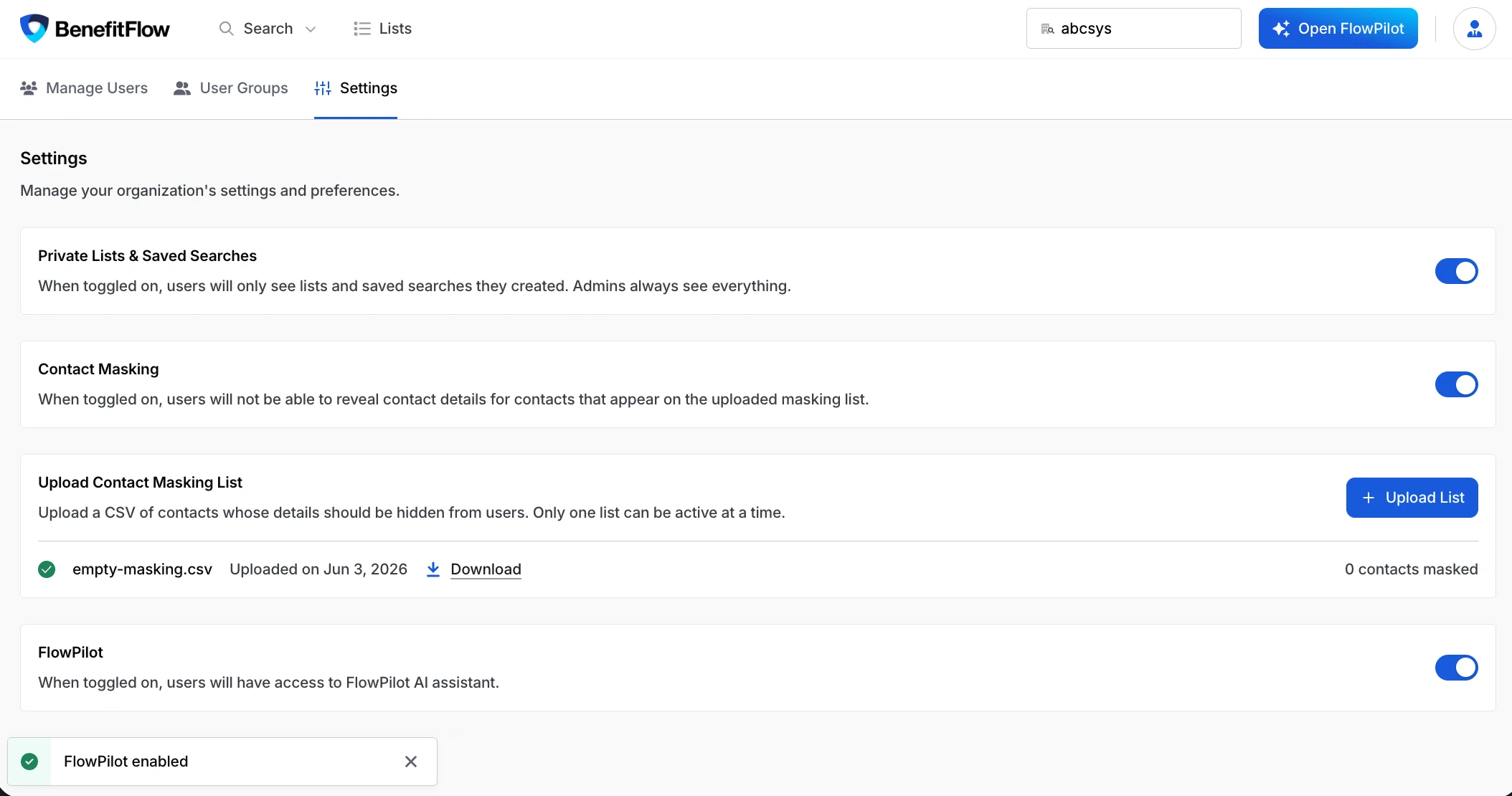
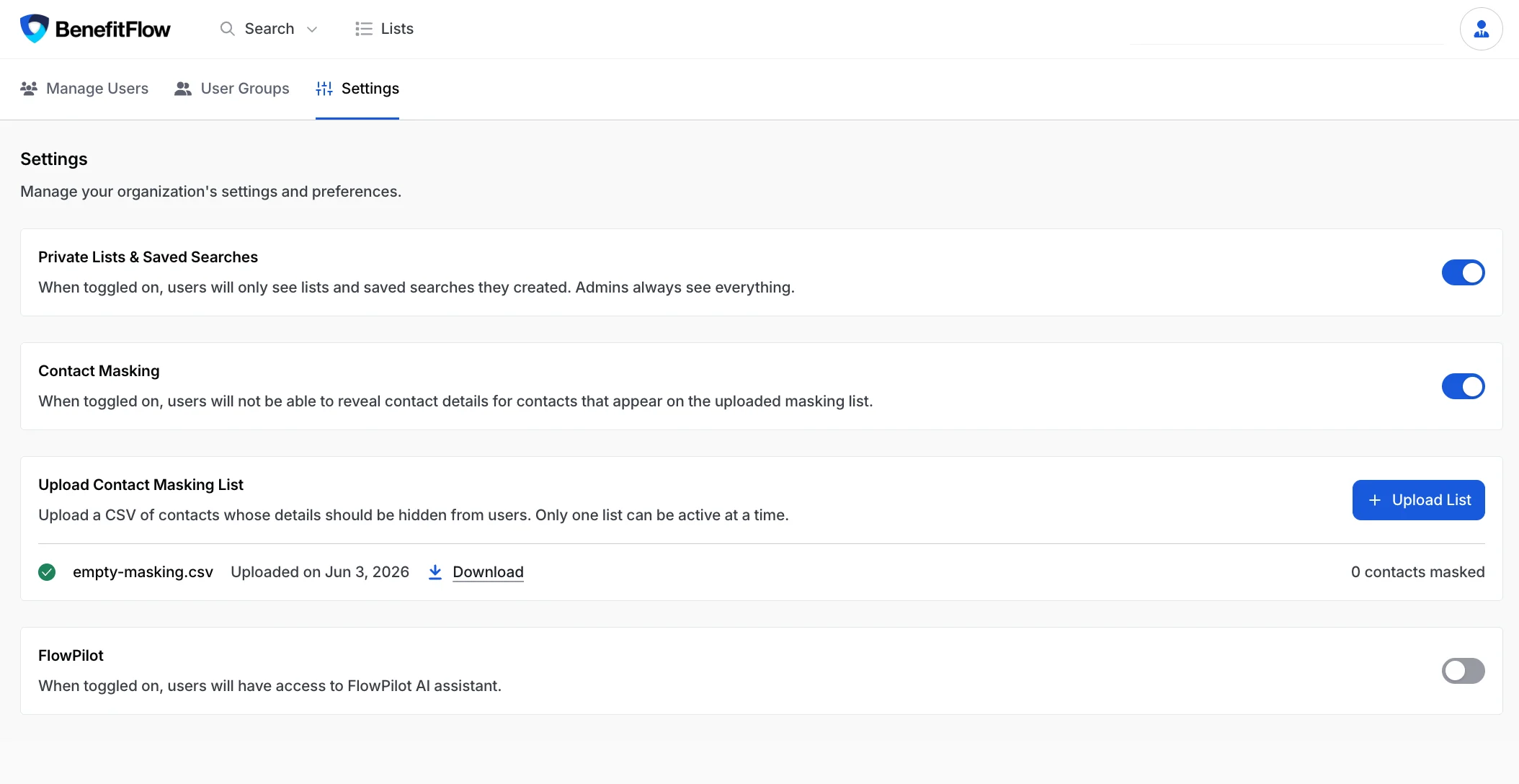
Team administrators can manage FlowPilot access for their entire organization.
| Setting | Details |
| :--------------------------- | :-------------------------------------------------------------------------------------------------- |
| **Where to find it** | [Team Management > Settings](https://benefit-flow.com/Team?tab=settings) |
| **What it controls** | Enables or disables FlowPilot for all members of your team |
| **When disabled** | All FlowPilot entry points are completely hidden — your users will not see any trace of the feature |
| **When changes take effect** | Immediately, for all team members |
 ***
## Safety Guardrails
FlowPilot includes multiple layers of protection to ensure safe, reliable responses:
* **Grounded in visible data** — FlowPilot only references data visible on the current page. It does not speculate or invent facts.
* **System prompt isolation** — Internal system prompts are stripped from all responses.
* **Prompt injection protection** — Attempts to manipulate FlowPilot through prompt injection are detected and rejected.
* **No professional advice** — FlowPilot does not provide financial, legal, or insurance advice.
* **Interaction logging** — All interactions are logged internally for quality monitoring and safety review.
***
## Frequently Asked Questions
No. AWS Bedrock does not use customer data for model training. Your queries and responses are not shared with Anthropic or any third party.
No. FlowPilot operates within your team's data permissions. It can only access data visible to the logged-in user. Tenant isolation is enforced at the infrastructure level.
Yes. Any team admin can toggle FlowPilot off in **Team Management > Settings**. When disabled, FlowPilot is completely hidden from all team members.
Yes. FlowPilot keeps your conversation history indefinitely so you can revisit past chats and pick up where you left off — find them in the FlowPilot history menu. Your history is **private to you** — teammates and admins can't see your conversations — and is **not** used to train AI models.
FlowPilot uses Anthropic's Claude models, hosted on AWS Bedrock within BenefitFlow's AWS infrastructure. Your data does not leave BenefitFlow's cloud environment.
No. FlowPilot only accesses data within BenefitFlow's platform. It cannot browse the web, access external APIs, or reach any systems outside of BenefitFlow.
Yes. FlowPilot is included for all BenefitFlow users at no additional cost.
***
## Related Resources
***
Have additional security questions? Reach out to your BenefitFlow Customer Success Manager or email [customerteam@benefit-flow.com](mailto:customerteam@benefit-flow.com).
***
## Safety Guardrails
FlowPilot includes multiple layers of protection to ensure safe, reliable responses:
* **Grounded in visible data** — FlowPilot only references data visible on the current page. It does not speculate or invent facts.
* **System prompt isolation** — Internal system prompts are stripped from all responses.
* **Prompt injection protection** — Attempts to manipulate FlowPilot through prompt injection are detected and rejected.
* **No professional advice** — FlowPilot does not provide financial, legal, or insurance advice.
* **Interaction logging** — All interactions are logged internally for quality monitoring and safety review.
***
## Frequently Asked Questions
No. AWS Bedrock does not use customer data for model training. Your queries and responses are not shared with Anthropic or any third party.
No. FlowPilot operates within your team's data permissions. It can only access data visible to the logged-in user. Tenant isolation is enforced at the infrastructure level.
Yes. Any team admin can toggle FlowPilot off in **Team Management > Settings**. When disabled, FlowPilot is completely hidden from all team members.
Yes. FlowPilot keeps your conversation history indefinitely so you can revisit past chats and pick up where you left off — find them in the FlowPilot history menu. Your history is **private to you** — teammates and admins can't see your conversations — and is **not** used to train AI models.
FlowPilot uses Anthropic's Claude models, hosted on AWS Bedrock within BenefitFlow's AWS infrastructure. Your data does not leave BenefitFlow's cloud environment.
No. FlowPilot only accesses data within BenefitFlow's platform. It cannot browse the web, access external APIs, or reach any systems outside of BenefitFlow.
Yes. FlowPilot is included for all BenefitFlow users at no additional cost.
***
## Related Resources
***
Have additional security questions? Reach out to your BenefitFlow Customer Success Manager or email [customerteam@benefit-flow.com](mailto:customerteam@benefit-flow.com).