> ## Documentation Index
> Fetch the complete documentation index at: https://docs.benefitflow.com/llms.txt
> Use this file to discover all available pages before exploring further.
# July 2026 Product Updates
> Signals launch, smarter search, one-time code sign-in, and CRM Enrichment early access
BenefitFlow Users,
This month is about knowing *when* to reach out, not just who to reach. Signals is live for everyone, search got a lot smarter, and signing in no longer requires remembering a password. Here's what's new 👇
### Signals: know when to reach out
Every employer, broker office, and contact in BenefitFlow now carries live trigger events. Over 30 signal types tell you when something changed that's worth acting on.
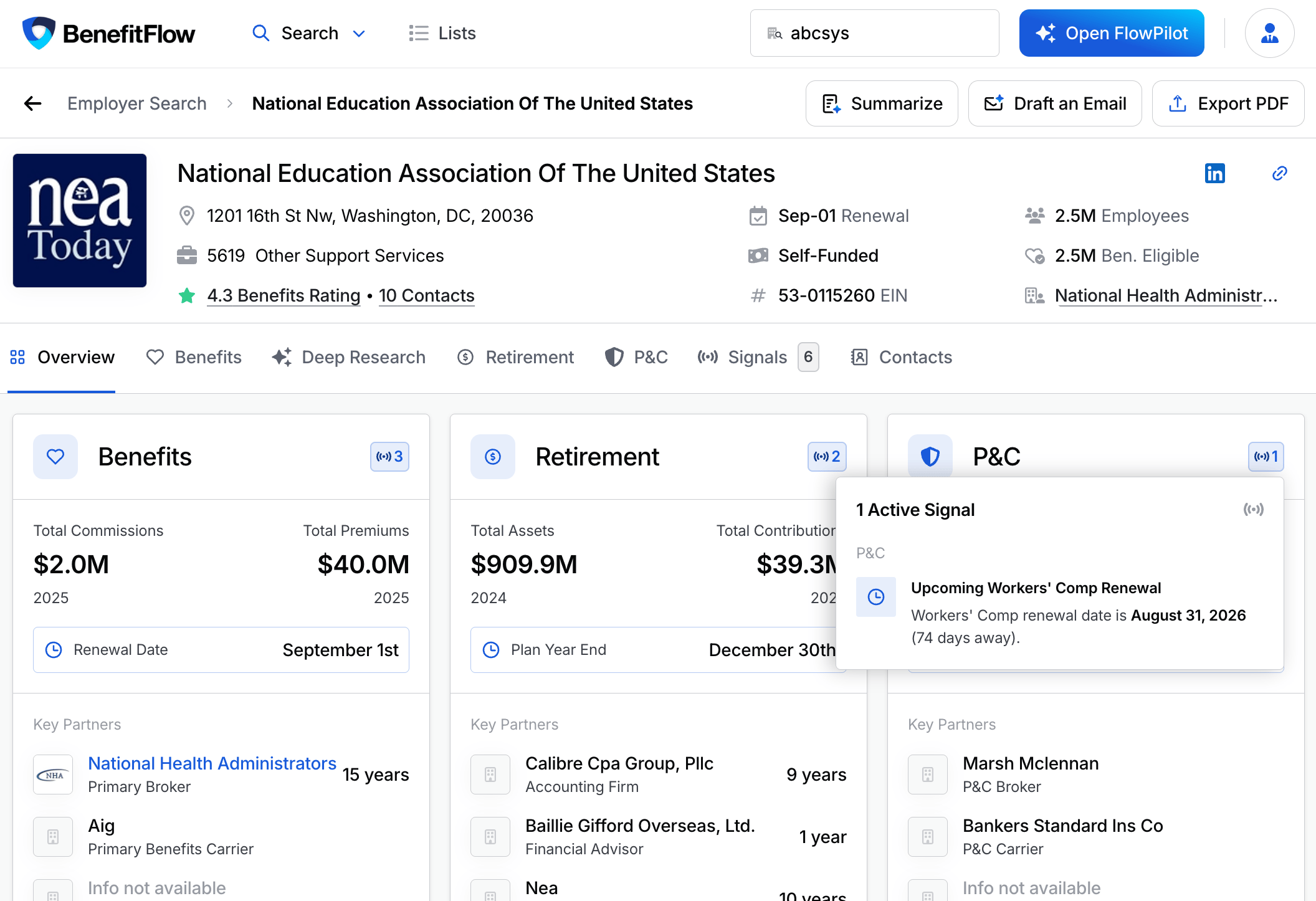 Highlights:
* **Benefits signals** show upcoming renewals, broker-of-record changes, carrier switches, plan changes, and drops in employee benefits sentiment
* **P\&C signals** flag renewals, X-Mod spikes, and OSHA/DOT activity
* **Retirement signals** track compliance events, recordkeeper changes, and jumps in plan participants
* **Contact signals** catch job changes and new decision-makers the moment they land
Every signal type, where signals appear, and how to work them
### Search that finds what you mean
A batch of search and filter upgrades, all aimed at one thing: you type what you know, we find the company.
Highlights:
* **Benefits signals** show upcoming renewals, broker-of-record changes, carrier switches, plan changes, and drops in employee benefits sentiment
* **P\&C signals** flag renewals, X-Mod spikes, and OSHA/DOT activity
* **Retirement signals** track compliance events, recordkeeper changes, and jumps in plan participants
* **Contact signals** catch job changes and new decision-makers the moment they land
Every signal type, where signals appear, and how to work them
### Search that finds what you mean
A batch of search and filter upgrades, all aimed at one thing: you type what you know, we find the company.
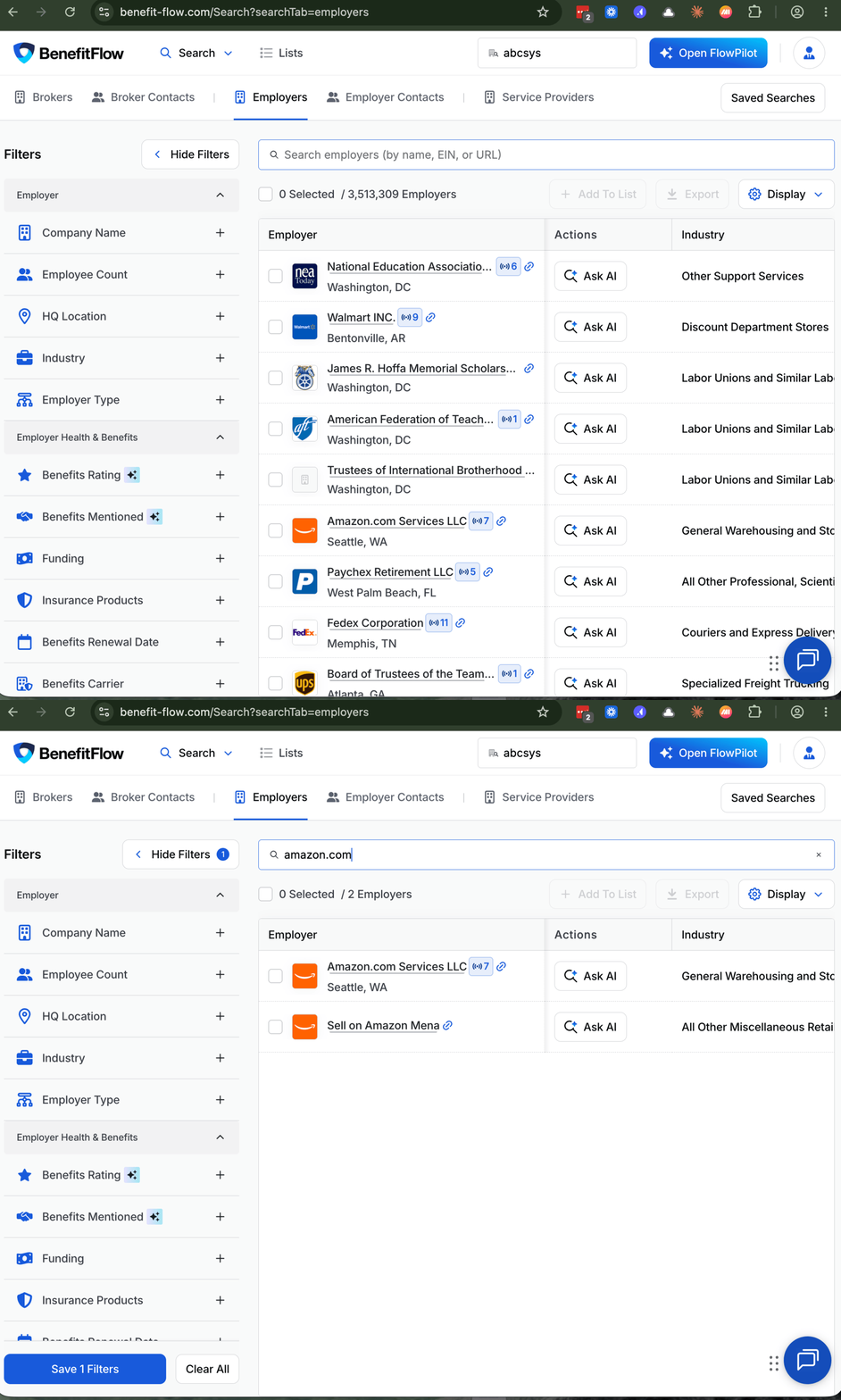 Highlights:
* **Search by URL.** Have the website but not the exact company name? Paste the domain into the search bar and go. Works in FlowPilot too.
* **Smarter location results.** The most common match shows up first, and metro areas rank ahead of small towns with the same name.
* **Presence controls.** Ask "who has *any* PEO?" separately from "who uses this specific PEO?" And every filter now supports include and exclude.
* **Search within a profile.** The Contacts tab on employer and broker profiles now has its own search bar.
* **Office-level client filters.** Broker office client lists can now filter by Primary Broker, Broker Tenure, and Broker Commissions.
### Sign in with a one-time code
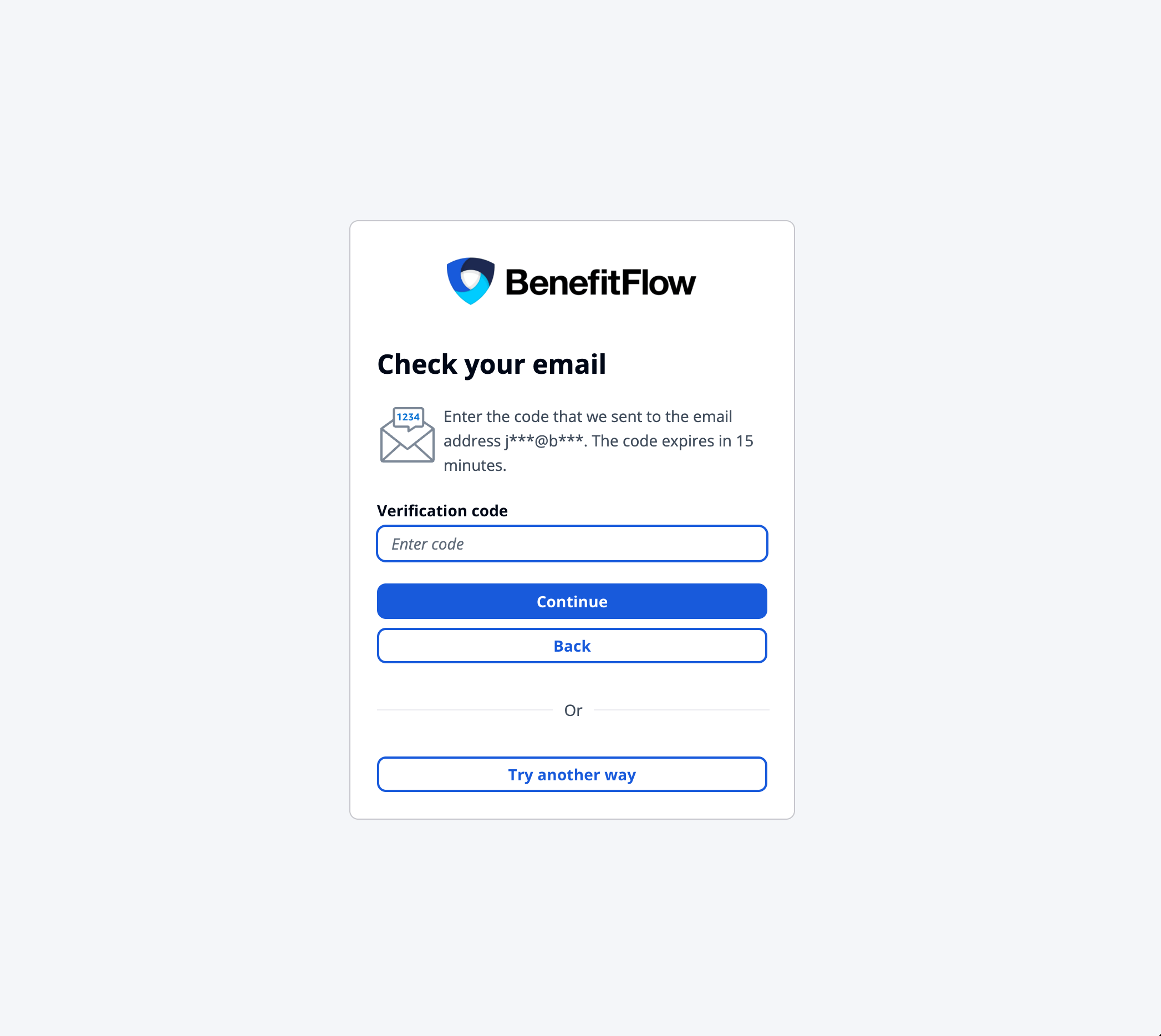
Signing in no longer depends on remembering a password. Type your email, and choose between your password or a one-time code sent to your inbox. Same account, one less thing to remember.
Highlights:
* **Search by URL.** Have the website but not the exact company name? Paste the domain into the search bar and go. Works in FlowPilot too.
* **Smarter location results.** The most common match shows up first, and metro areas rank ahead of small towns with the same name.
* **Presence controls.** Ask "who has *any* PEO?" separately from "who uses this specific PEO?" And every filter now supports include and exclude.
* **Search within a profile.** The Contacts tab on employer and broker profiles now has its own search bar.
* **Office-level client filters.** Broker office client lists can now filter by Primary Broker, Broker Tenure, and Broker Commissions.
### Sign in with a one-time code
Signing in no longer depends on remembering a password. Type your email, and choose between your password or a one-time code sent to your inbox. Same account, one less thing to remember.
 ### Early access: CRM Enrichment
Enrichment writes BenefitFlow data directly onto the records already in your CRM, on a schedule you control. Pick the fields, set the cadence, and your Salesforce, HubSpot, or Dynamics records stay current without manual exports.
Enrichment is in early access now. If you'd like in, talk to your CSM.
### Under the hood: cleaner, fuller company data
We rebuilt the foundation this summer. Company records are now unified across employers, carriers, brokers, and service providers, which means sharper names ("Home Depot USA Inc." is now just "Home Depot"), fewer duplicates, and fuller profiles. Employer website coverage is dramatically improved and a June data refresh added more than 63,000 new contacts in the industries that matter to you.
### New in the Knowledge Base
Two new guides walk through turning BenefitFlow data into a repeatable pipeline process, from linking employers to the right broker office to tracking closed-won ROI inside your CRM.
### Thanks for reading!
We hope you're as excited as we are about these updates. If you have any questions, please don't hesitate to reach out.
\- The BenefitFlow Team
### Early access: CRM Enrichment
Enrichment writes BenefitFlow data directly onto the records already in your CRM, on a schedule you control. Pick the fields, set the cadence, and your Salesforce, HubSpot, or Dynamics records stay current without manual exports.
Enrichment is in early access now. If you'd like in, talk to your CSM.
### Under the hood: cleaner, fuller company data
We rebuilt the foundation this summer. Company records are now unified across employers, carriers, brokers, and service providers, which means sharper names ("Home Depot USA Inc." is now just "Home Depot"), fewer duplicates, and fuller profiles. Employer website coverage is dramatically improved and a June data refresh added more than 63,000 new contacts in the industries that matter to you.
### New in the Knowledge Base
Two new guides walk through turning BenefitFlow data into a repeatable pipeline process, from linking employers to the right broker office to tracking closed-won ROI inside your CRM.
### Thanks for reading!
We hope you're as excited as we are about these updates. If you have any questions, please don't hesitate to reach out.
\- The BenefitFlow Team