> ## Documentation Index
> Fetch the complete documentation index at: https://docs.benefitflow.com/llms.txt
> Use this file to discover all available pages before exploring further.
# Saved Searches
> Save, reuse, and share your filter combinations in BenefitFlow
Saved Searches let you store your filter combinations so you don't have to rebuild them every session. Any search you run on the Broker, Broker Contacts, Employer, or Employer Contacts tabs can be saved and recalled later.
## Saving a Search
1. Apply your desired filters on any search tab
2. Click **Save Search** in the filter bar
3. Choose **New Search** and give it a descriptive name (e.g., "Brokers in Kansas"), or choose **Overwrite Existing** to update a previously saved search
4. Click **Confirm**
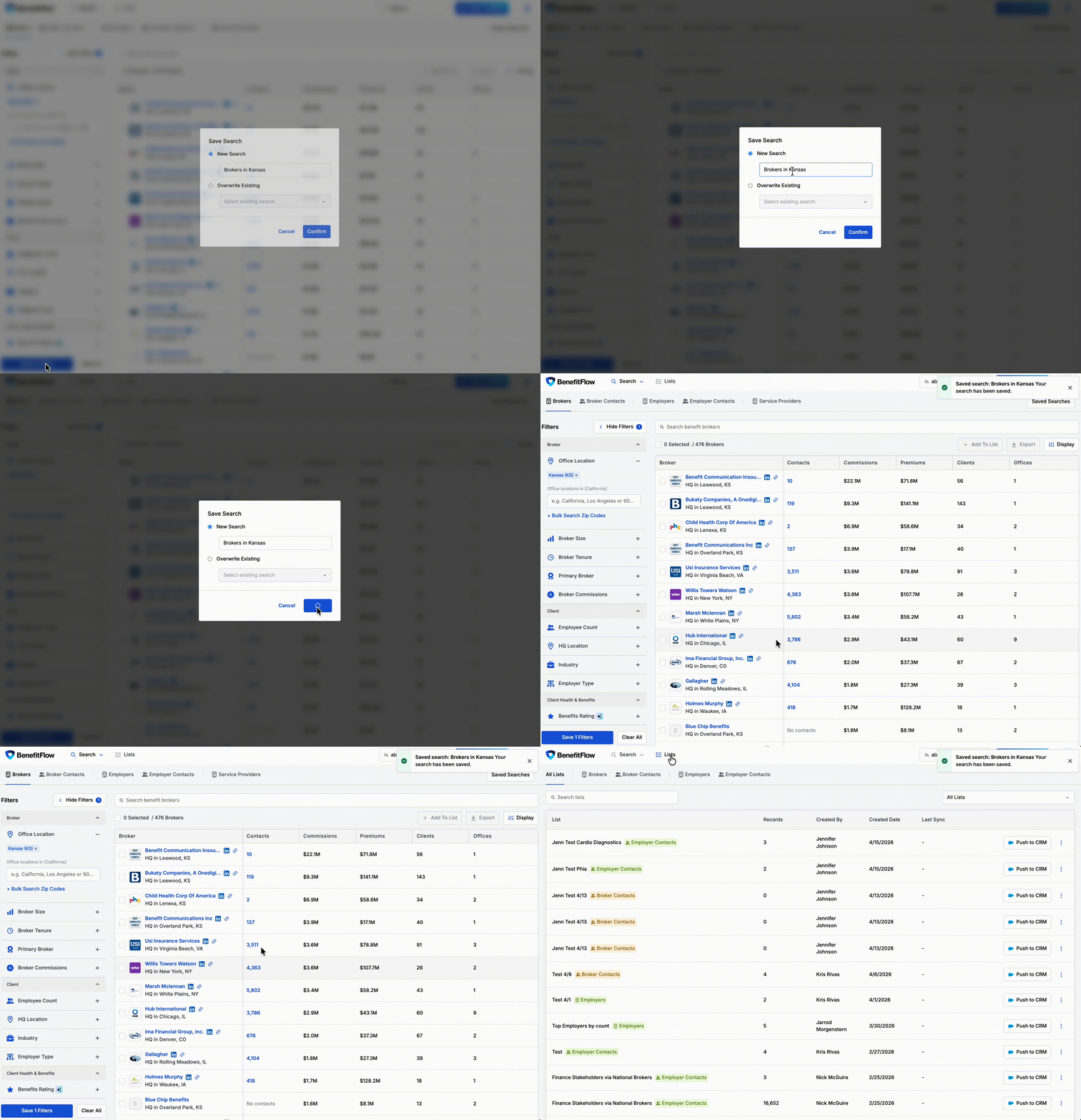 Your saved search will appear in the **Saved Searches** dropdown on that tab every time you log in.
## Managing Saved Searches
* **Load** — select any saved search from the dropdown to instantly apply those filters
* **Overwrite** — update an existing saved search with your current filters using the "Overwrite Existing" option
* **Delete** — remove saved searches you no longer need
* Filters persist when navigating between sections, so you can explore profiles without losing your search state
## Private Lists & Saved Searches
Admins can toggle a single setting that controls visibility for both lists and saved searches across the account.
**Setting:** "Private Lists & Saved Searches"
**Location:** [Team Management → Settings](https://benefit-flow.com/Team?tab=settings)
Your saved search will appear in the **Saved Searches** dropdown on that tab every time you log in.
## Managing Saved Searches
* **Load** — select any saved search from the dropdown to instantly apply those filters
* **Overwrite** — update an existing saved search with your current filters using the "Overwrite Existing" option
* **Delete** — remove saved searches you no longer need
* Filters persist when navigating between sections, so you can explore profiles without losing your search state
## Private Lists & Saved Searches
Admins can toggle a single setting that controls visibility for both lists and saved searches across the account.
**Setting:** "Private Lists & Saved Searches"
**Location:** [Team Management → Settings](https://benefit-flow.com/Team?tab=settings)
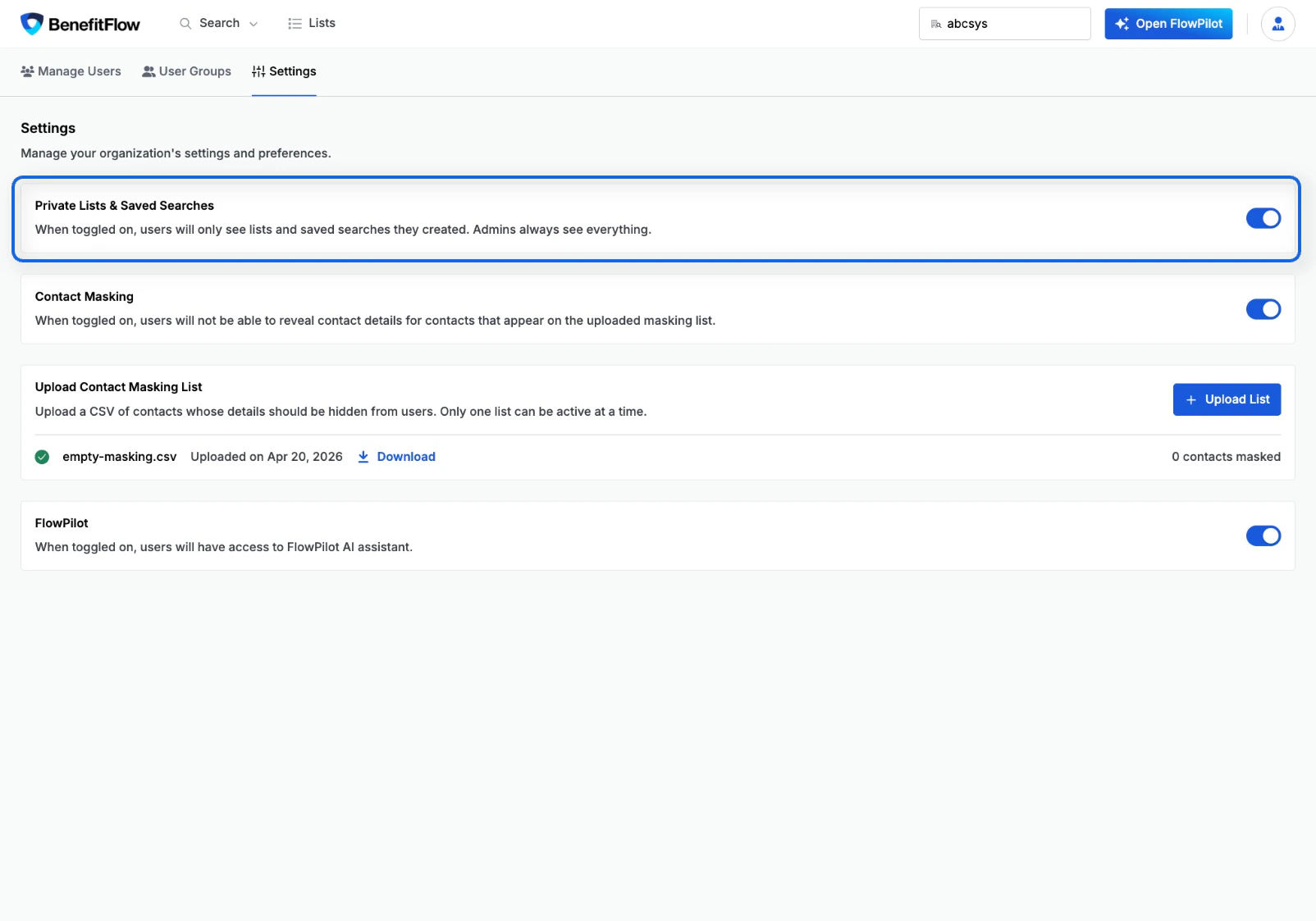 When **toggled on:**
* Users will only see lists and saved searches **they created**
* Admins always see everything regardless of this setting
When **toggled off:**
* All lists and saved searches are visible to all users on the account
This is a single toggle that controls both lists and saved searches together — there is no separate setting for each.
When **toggled on:**
* Users will only see lists and saved searches **they created**
* Admins always see everything regardless of this setting
When **toggled off:**
* All lists and saved searches are visible to all users on the account
This is a single toggle that controls both lists and saved searches together — there is no separate setting for each.