

FlowPilot is here
FlowPilot — BenefitFlow’s AI sales assistant — is now generally available to all customers. Describe what you’re looking for in plain language, and FlowPilot builds lists, researches accounts, and drafts outreach in minutes.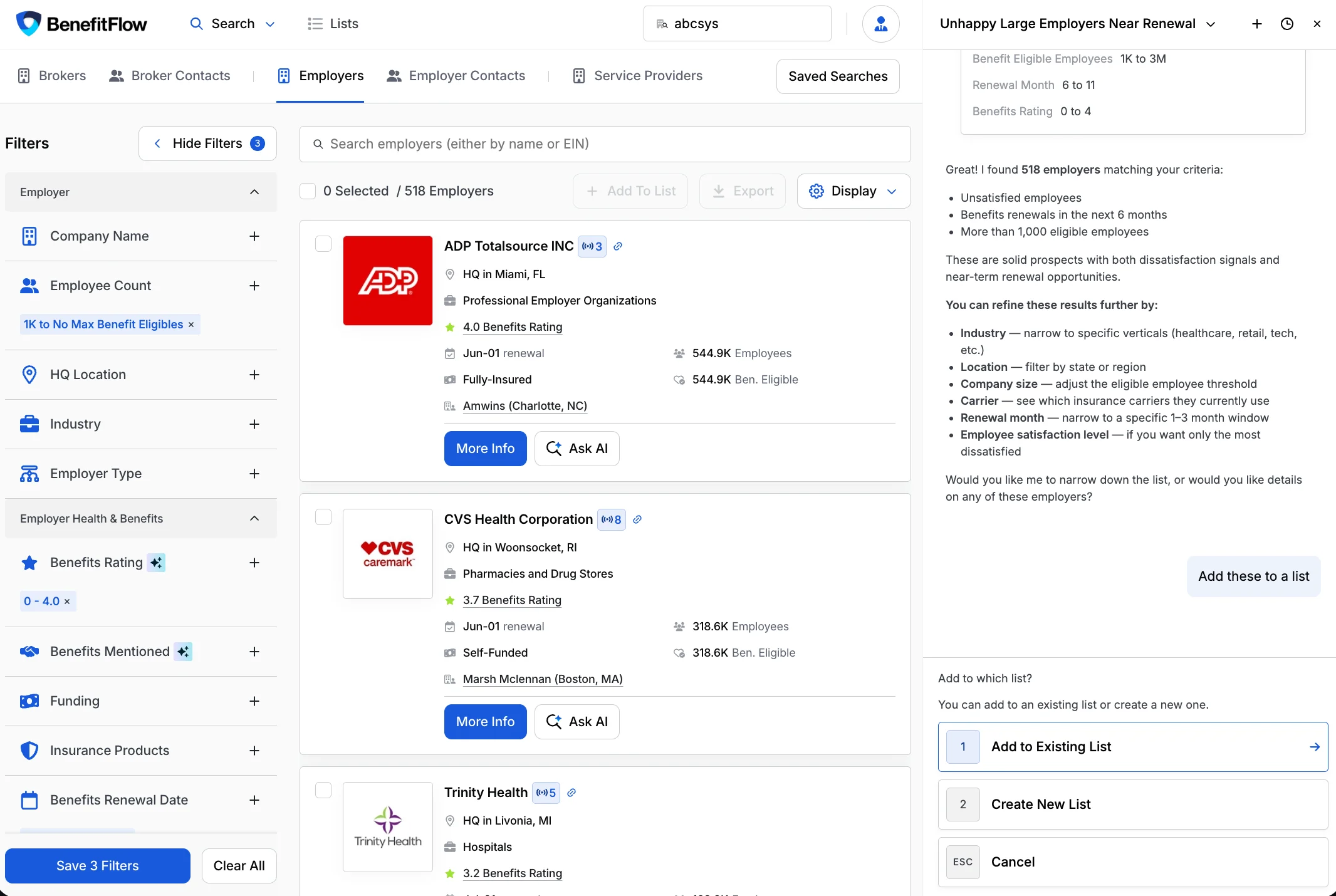
- Build target lists conversationally — describe your ideal accounts and FlowPilot builds the list, ready to save and work
- Surface account intelligence — get a research brief on any company right in the chat
- Draft outreach — identify the right decision-maker and generate a personalized first-touch email
- Save results to a list — just ask; FlowPilot adds results to a new or existing list
- Chat sessions — open a new chat tab and revisit past conversations anytime
- Smarter search — semantic search for industries and job titles, regional location search (“midwest”, “tri-state”), and PEO filter support
Full guide: Getting Started with FlowPilot
What FlowPilot does, where to find it, and how to get the best results
Sort your search results
You can now sort search results by any column, ascending or descending — in both card and table views. Open Display, pick a sort field (Broker Commissions, Renewal Date, Benefits Rating, Total Employees, and more), and surface your best prospects first.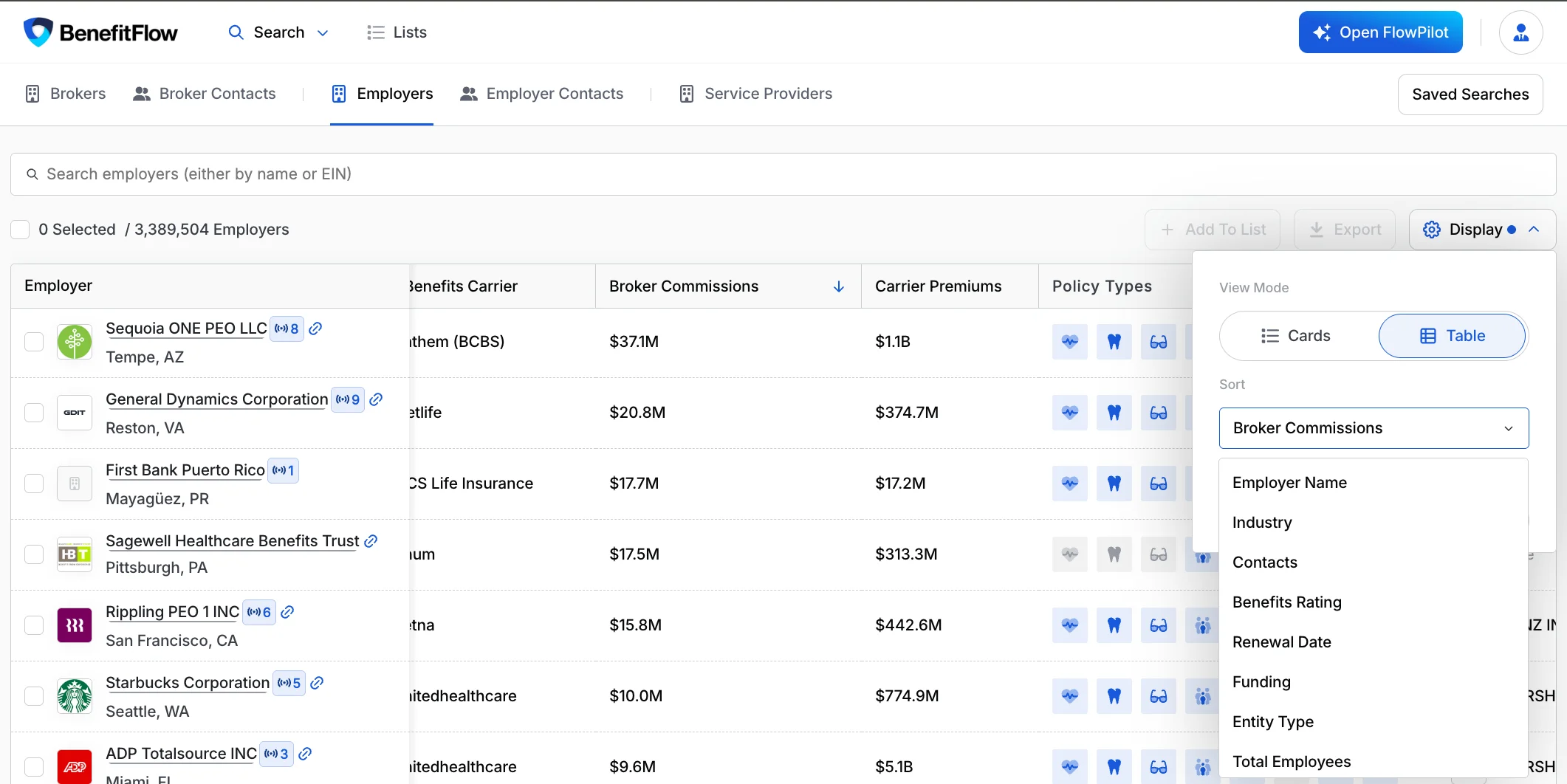
More on every contact export
Contact exports now include additional company fields, so you get richer context about each contact’s employer without a separate lookup.Learn more: Credits & Exporting
Exporting records and how credits work