

Exports, rebuilt
CSV and PDF exports now include the same data you see in the app, and you choose what goes in.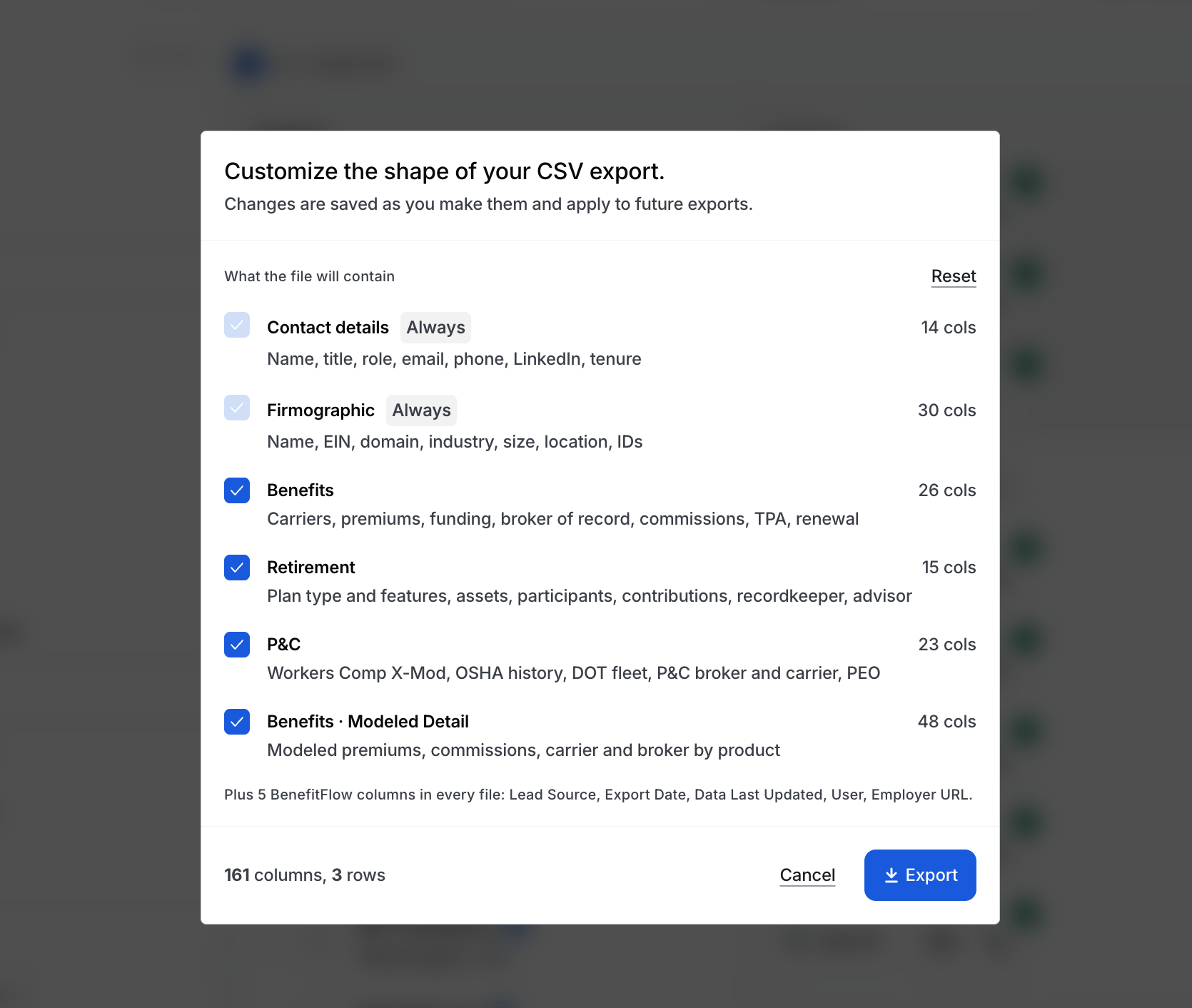
- CSV: employer exports have 100+ new columns, including firmographics, P&C, retirement, and modeled premiums and commissions by product. Pick the column groups you want.
- PDF: the employer profile PDF now includes P&C, Signals, Workforce, Funding & News, and a full Retirement section. Choose your sections to make the PDF exactly what you want. It’s also much faster.
- Exports page: every CSV and PDF you run is saved, so you can download it again without re-running it.
Credits and Exporting
Data Glossary
Modeled premiums and commissions
The Benefits tab now estimates the numbers Form 5500 leaves out. Every estimate is labeled, so it’s never mixed up with what was filed.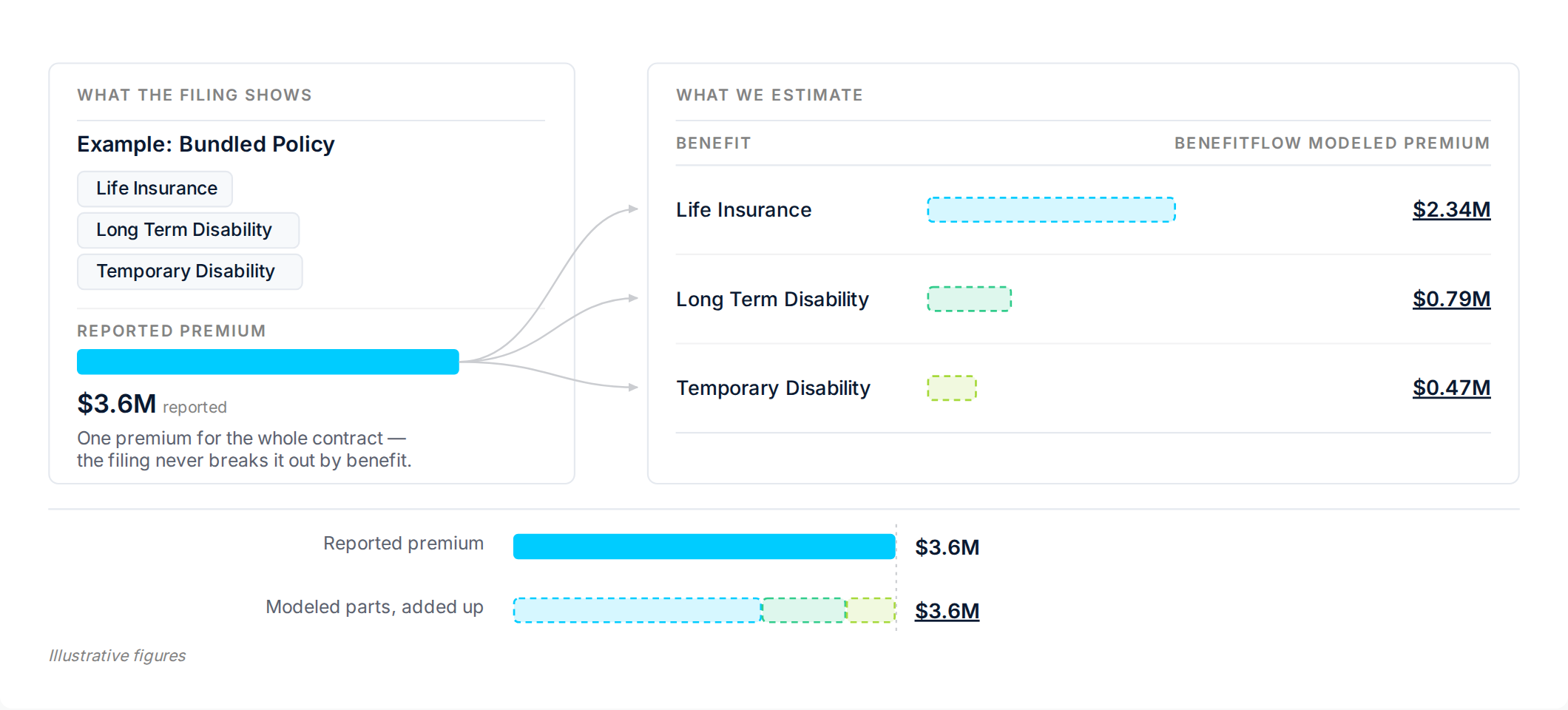
- Bundled policies: when life, disability, and similar benefits are filed as one combined premium, you now see the estimated premium and carrier for each product.
- Self-funded medical: employers who pay claims directly now show an estimated medical premium and broker commission where we can model one.
- Search and filters still use reported figures only.
Modeled Commissions and Premiums
How BenefitFlow estimates premiums and commissions
New search filters and signals
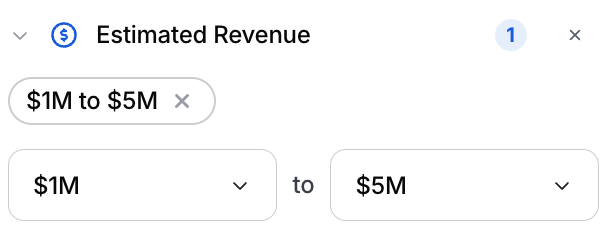
- Estimated Revenue: filter employers by estimated annual revenue, or find brokers by their clients’ revenue.
- Form 5500 Filing: find employers by how recently they filed a Form 5500.
- Workforce signals: Employee Headcount Growth and Job Openings Surge now show on the Workforce tab and work as search filters.
Filtering guide
Using Signals
More from the BenefitFlow MCP
Your AI assistant can now answer more detailed questions with BenefitFlow data.- List policies: pull an employer’s Form 5500 policies by plan year, with carrier, premium, covered lives, PEPM, and broker commissions.
- Premium jumps: find fully insured employers whose medical premium or PEPM rose or dropped by a set amount or percentage.
- Signal date ranges: ask for signals from a specific window, like “since August.”
Connect your AI assistant
Set up the MCP in your assistant and start pulling BenefitFlow data
A few more things
- Clearer browser tabs: each tab now shows the page you’re on, like an employer’s name or “Search: Brokers,” so it’s easier to find the right one.
- Open in a new tab: employer, broker, and office names in search results and broker client lists are now links. Cmd-click, middle-click, or right-click to open a profile in a new tab.