

What is Contact Masking?
Contact Masking lets admins restrict the visibility of specific contacts across BenefitFlow. By uploading a list of email addresses, you can ensure that those contacts’ email and phone fields are hidden from all users in your organization. This is useful when your organization needs to prevent outreach to certain individuals — whether for compliance, internal policy, or relationship management reasons.How It Works
Steps to Enable
1
Navigate to Settings
Log in as an admin and navigate to Team Management → Settings. You’ll see a Contact Masking section.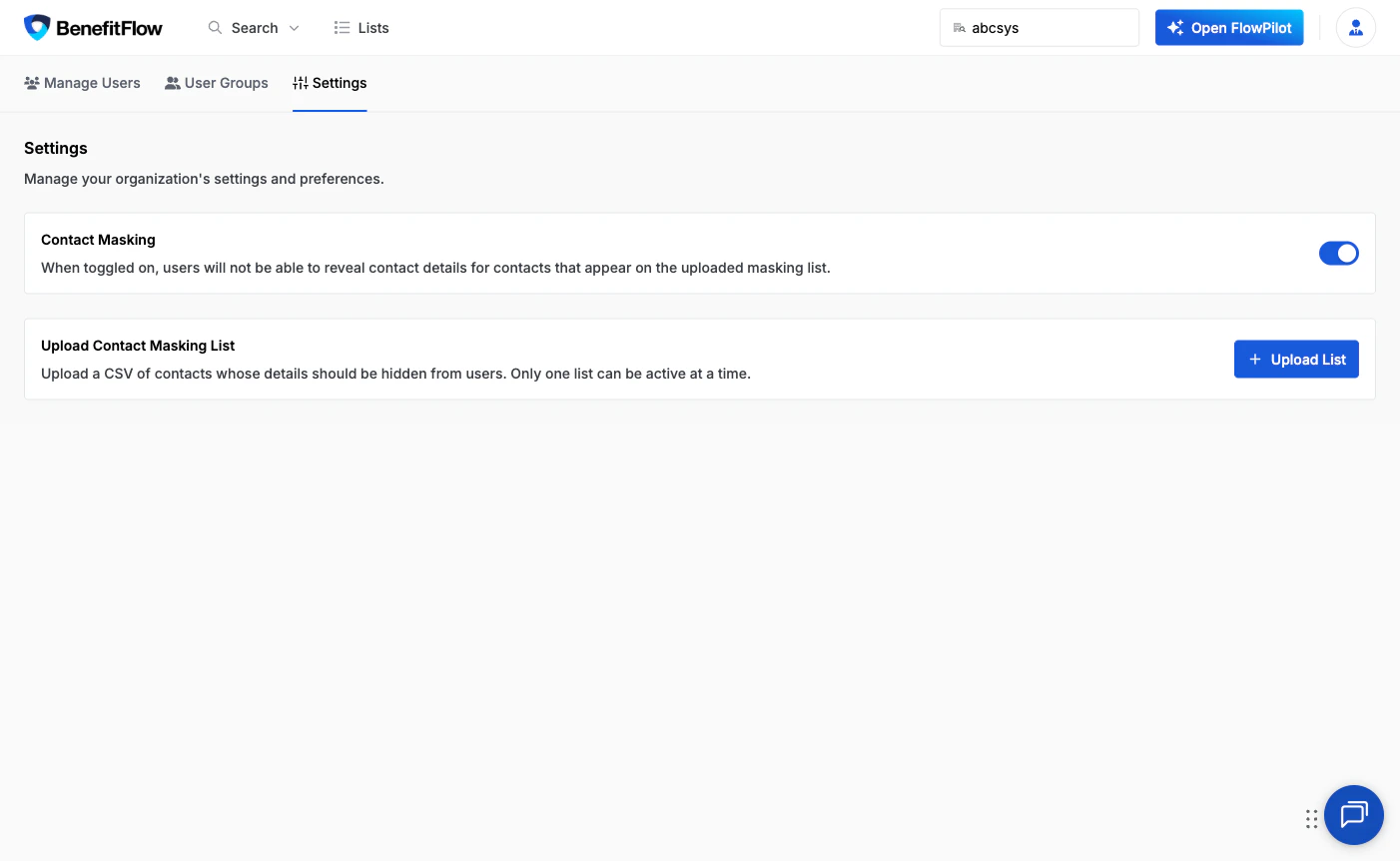
2
Enable the Contact Masking toggle
Turn on the Contact Masking toggle to activate the feature for your organization.
3
Upload a CSV with emails to mask
Upload a CSV file containing the email addresses of contacts you want to mask. Once uploaded, those contacts will be restricted immediately.
CSV Format Requirements
Your CSV file should contain one email address per line. The first line can be a header (emails) or a valid email address.
- One email address per line
- First line can be a header (
emails) or a valid email address - Trailing commas are accepted
- No additional columns required
- Maximum file size: 200MB — large block lists are fully supported
What Users See
When a contact has been masked, their email and phone fields are replaced with asterisks (e.g.********@******.com) and the “Unlock Contact” button is disabled. All other profile information — name, title, employer, and other details — remains fully visible.

FAQ
Can I remove contacts from the masked list?
Can I remove contacts from the masked list?
Yes. Upload a new CSV that does not include the contacts you want to unmask. The new upload replaces the previous list entirely.
Does masking affect exports?
Does masking affect exports?
Yes. Exported data for masked contacts will show restricted values for email and phone fields.
Who can manage Contact Masking?
Who can manage Contact Masking?
Only admins can enable/disable the toggle and upload the CSV. Non-admin users will see the masked fields but cannot change the settings.