

How FlowPilot Works
Every FlowPilot interaction follows the same data flow:1
You ask a question
You type a question or request in the FlowPilot panel — for example, “Summarize this employer’s benefits” or “Draft a prospecting email.”
2
FlowPilot identifies intent
FlowPilot determines what type of request you made: a search, a summary, a draft, or a general question.
3
Relevant data is retrieved
FlowPilot pulls the data it needs from BenefitFlow’s existing database — the same data already visible in your BenefitFlow account.
4
The AI model processes your request
Your query and the relevant context are sent to the AI model for processing (see AI Infrastructure below).
5
You receive a response
The response is returned to you in the FlowPilot panel.
AI Infrastructure
FlowPilot uses Anthropic’s Claude language models, hosted on AWS Bedrock — Amazon’s managed AI service. Here is what that means for your data:What Data FlowPilot Can Access
FlowPilot can only access data that is already visible to you in your BenefitFlow account. It operates within the same permissions as the logged-in user. FlowPilot can access:- Employer profiles
- Broker profiles
- Contact records
- Benefits filings
- Search results
- Other data visible in your current BenefitFlow session
- Other customers’ data (tenant isolation is enforced)
- Backend-only system data
- Data outside of BenefitFlow
- The internet or any external APIs
Admin Controls
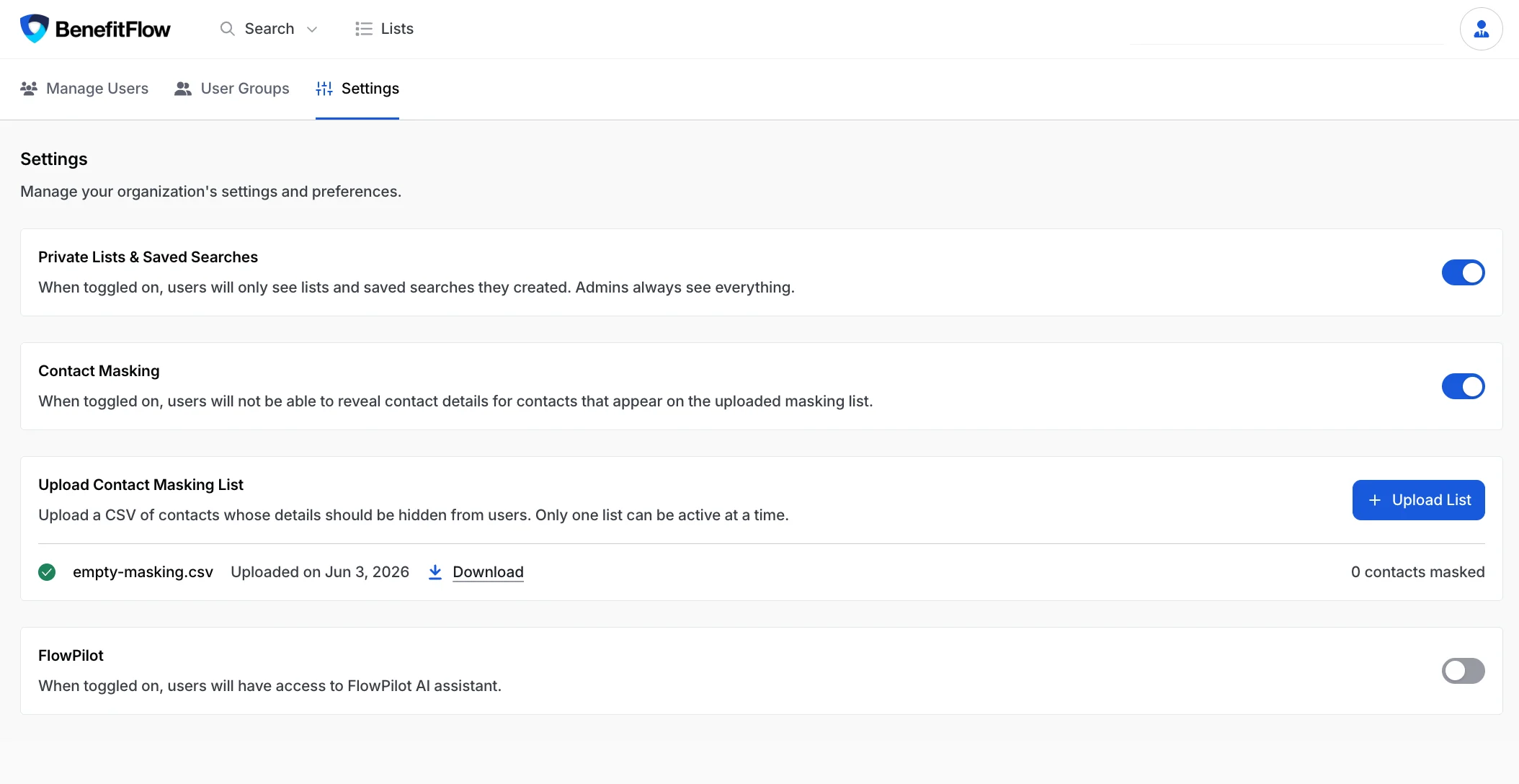
Team administrators can manage FlowPilot access for their entire organization.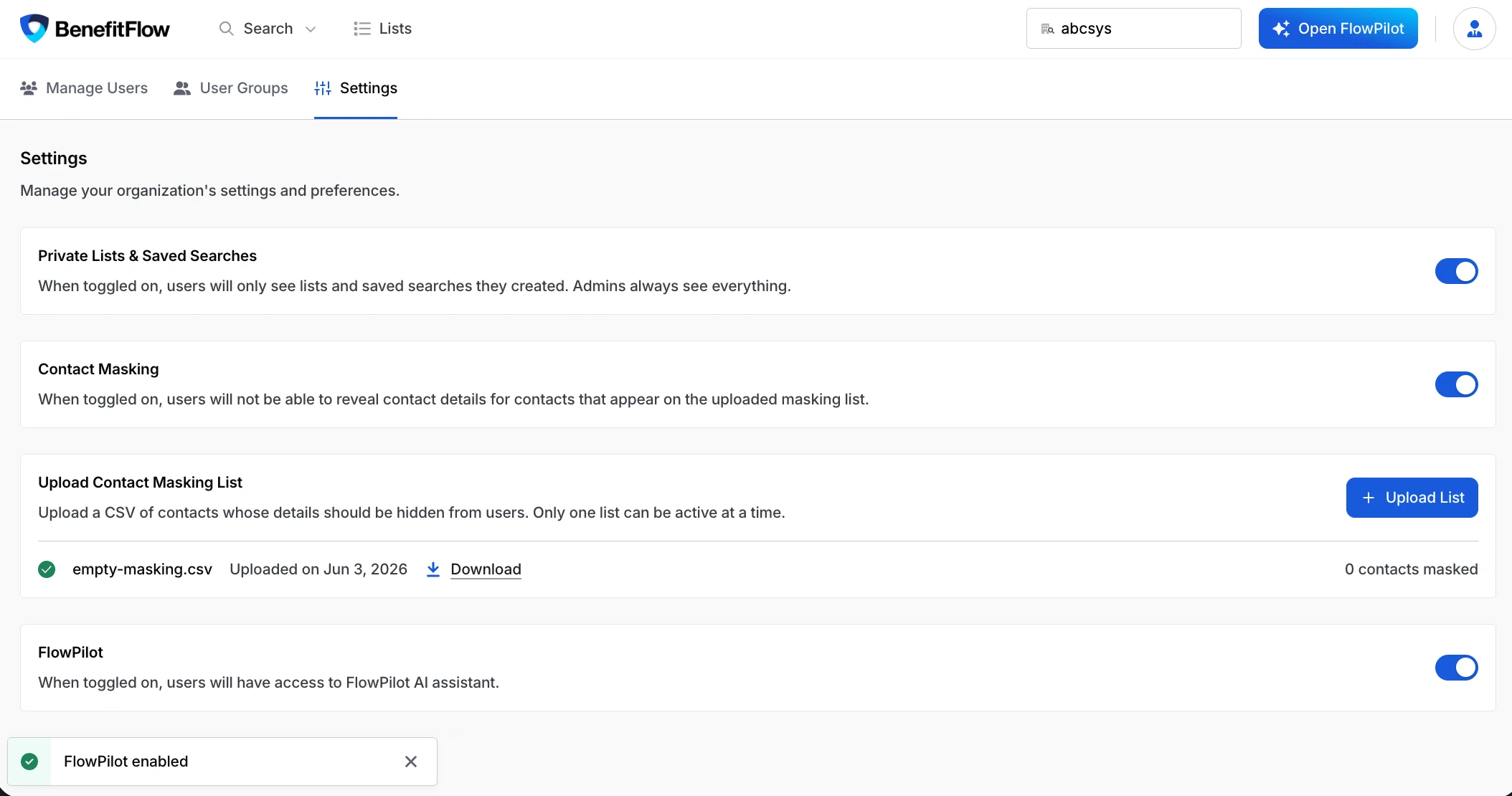
Safety Guardrails
FlowPilot includes multiple layers of protection to ensure safe, reliable responses:- Grounded in visible data — FlowPilot only references data visible on the current page. It does not speculate or invent facts.
- System prompt isolation — Internal system prompts are stripped from all responses.
- Prompt injection protection — Attempts to manipulate FlowPilot through prompt injection are detected and rejected.
- No professional advice — FlowPilot does not provide financial, legal, or insurance advice.
- Interaction logging — All interactions are logged internally for quality monitoring and safety review.
Frequently Asked Questions
Is my data used to train AI models?
Is my data used to train AI models?
No. AWS Bedrock does not use customer data for model training. Your queries and responses are not shared with Anthropic or any third party.
Can FlowPilot access data from other BenefitFlow customers?
Can FlowPilot access data from other BenefitFlow customers?
No. FlowPilot operates within your team’s data permissions. It can only access data visible to the logged-in user. Tenant isolation is enforced at the infrastructure level.
Can I disable FlowPilot for my team?
Can I disable FlowPilot for my team?
Yes. Any team admin can toggle FlowPilot off in Team Management > Settings. When disabled, FlowPilot is completely hidden from all team members.
Does FlowPilot store my conversations?
Does FlowPilot store my conversations?
Yes. FlowPilot keeps your conversation history indefinitely so you can revisit past chats and pick up where you left off — find them in the FlowPilot history menu. Your history is private to you — teammates and admins can’t see your conversations — and is not used to train AI models.
What AI model does FlowPilot use?
What AI model does FlowPilot use?
FlowPilot uses Anthropic’s Claude models, hosted on AWS Bedrock within BenefitFlow’s AWS infrastructure. Your data does not leave BenefitFlow’s cloud environment.
Does FlowPilot have access to the internet?
Does FlowPilot have access to the internet?
No. FlowPilot only accesses data within BenefitFlow’s platform. It cannot browse the web, access external APIs, or reach any systems outside of BenefitFlow.
Is FlowPilot included in my subscription?
Is FlowPilot included in my subscription?
Yes. FlowPilot is included for all BenefitFlow users at no additional cost.
Related Resources
Getting Started with FlowPilot
Security & Privacy Overview
Data Removal Requests
Have additional security questions? Reach out to your BenefitFlow Customer Success Manager or email customerteam@benefit-flow.com.