

How contact credits and exporting work
- Contact Credits:
- Credits are used each time you reveal a contact’s details
- Revealed contacts are shared across your team
- Automatically saved in the ‘All Contacts’ list
- Contact Discovery:
- Click “Get Contact” to view hidden contact details
- Real-time credit balance notifications
- Team-wide contact sharing prevents duplicate credit usage
- Export Options:
- Export broker information with standard or detailed views
- Export employer data by company or specific Form 5500 insurance policies
- Export an employer profile as a PDF
- Access data glossary to understand export field definitions
- Bulk export capabilities vary by BenefitFlow package
- Additional Info:
- Broker and employer information exports do not use contact credits
- Bulk export limits for broker and employer records depend on your subscription level
- Contact exports aren’t subject to these limits. Once you’ve used a credit to reveal a contact, you can export it as many times as you like
- Contact customer success team for expanded export capabilities
- Premium Package
- Brokerages: 500
- Employers: 25,000
- Ultimate Package
- Brokerages: 2,500
- Employers: 50,000
- Enterprise Package
- Custom — talk to your Customer Success Manager
How many credits do I have, and when do they reset?
Your credit allotment is set by your plan. To see your current balance at any time, go to your Team page: benefit-flow.com/Team Credits refresh on your account’s renewal date, back up to your plan’s allotment. Unused credits don’t roll over to the next cycle.Where to find your past exports
Every export you run is saved to your Exports page at benefit-flow.com/Exports, so you can re-download a file without running the export again. Team admins can see every export on the team. Everyone else sees the exports they ran.Export an employer profile as a PDF
Download an employer profile as a PDF to share or bring to a meeting. PDF exports don’t use credits and aren’t subject to bulk export limits.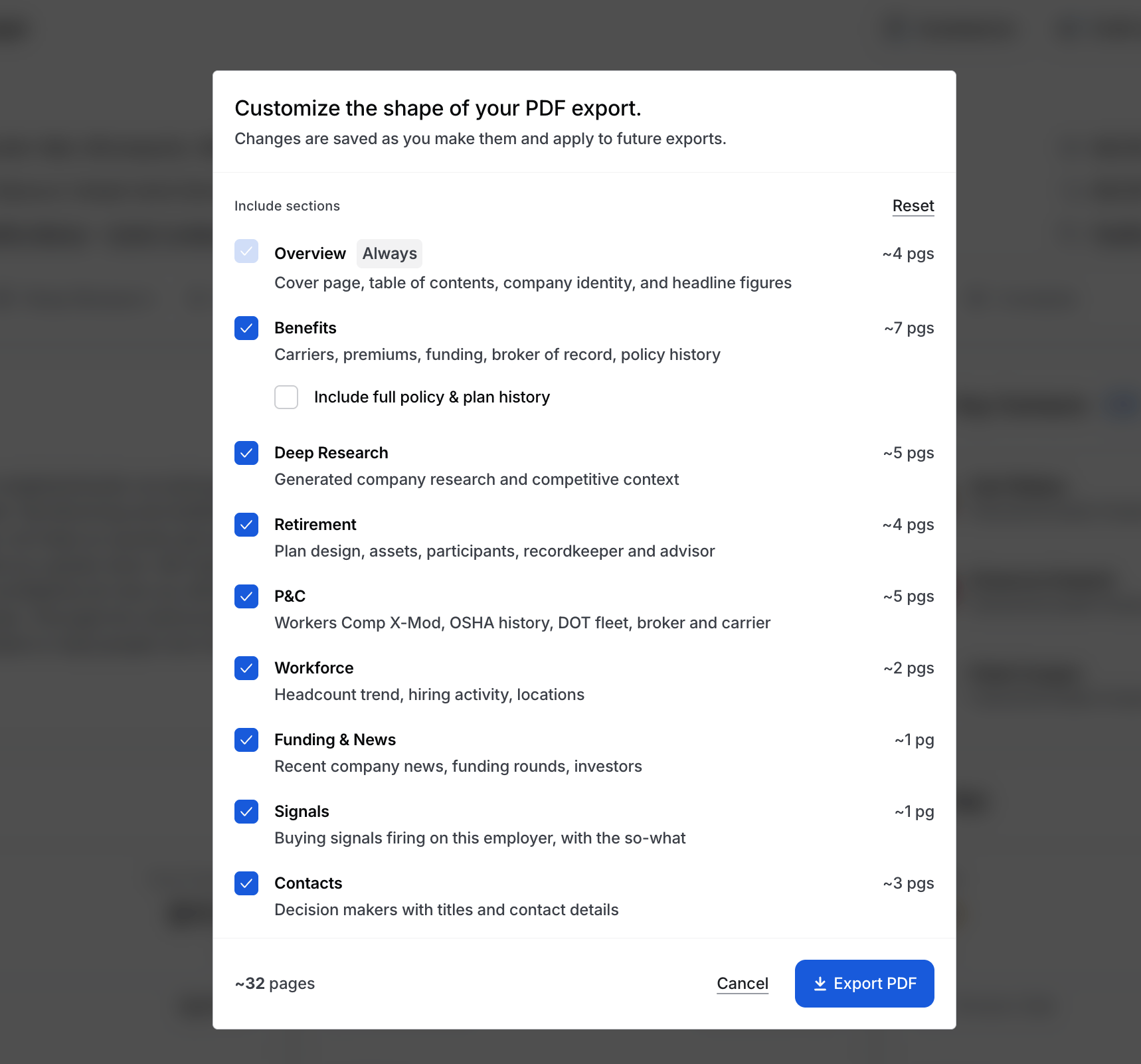
1
Open the employer profile and click Export PDFThe button is in the top right of the profile header.
2
Choose your sections (optional)Click the gear next to Export PDF to pick which sections to include. Overview is always included. Under Benefits, check Include full policy & plan history for the complete history. Your choices are saved for future exports.
3
Download the fileYou can keep working while the PDF builds. It downloads automatically when it’s ready and is saved to your Exports page.