➕ How to Add Users
1
Log into your BenefitFlow admin account.
2
Navigate to your name in the upper right corner > Team Management.
3
Click “Add User” and enter the new user’s:
- Full name
- Work email
- Role (User or Admin)
4
Click “Send Invite” – they’ll get an email to sign in. Their account is active right away, and they sign in with a one-time code (no password needed).
Note:Each user added will count toward your license tier.
❌ How to Delete Users
1
Go to Settings > Team Management.
2
Find the user you want to remove.
3
Click the “•••” menu next to their name.
4
Select “Remove from Account.”
This action immediately revokes access and cannot be undone.
📊 View Contact Credit Usage
1
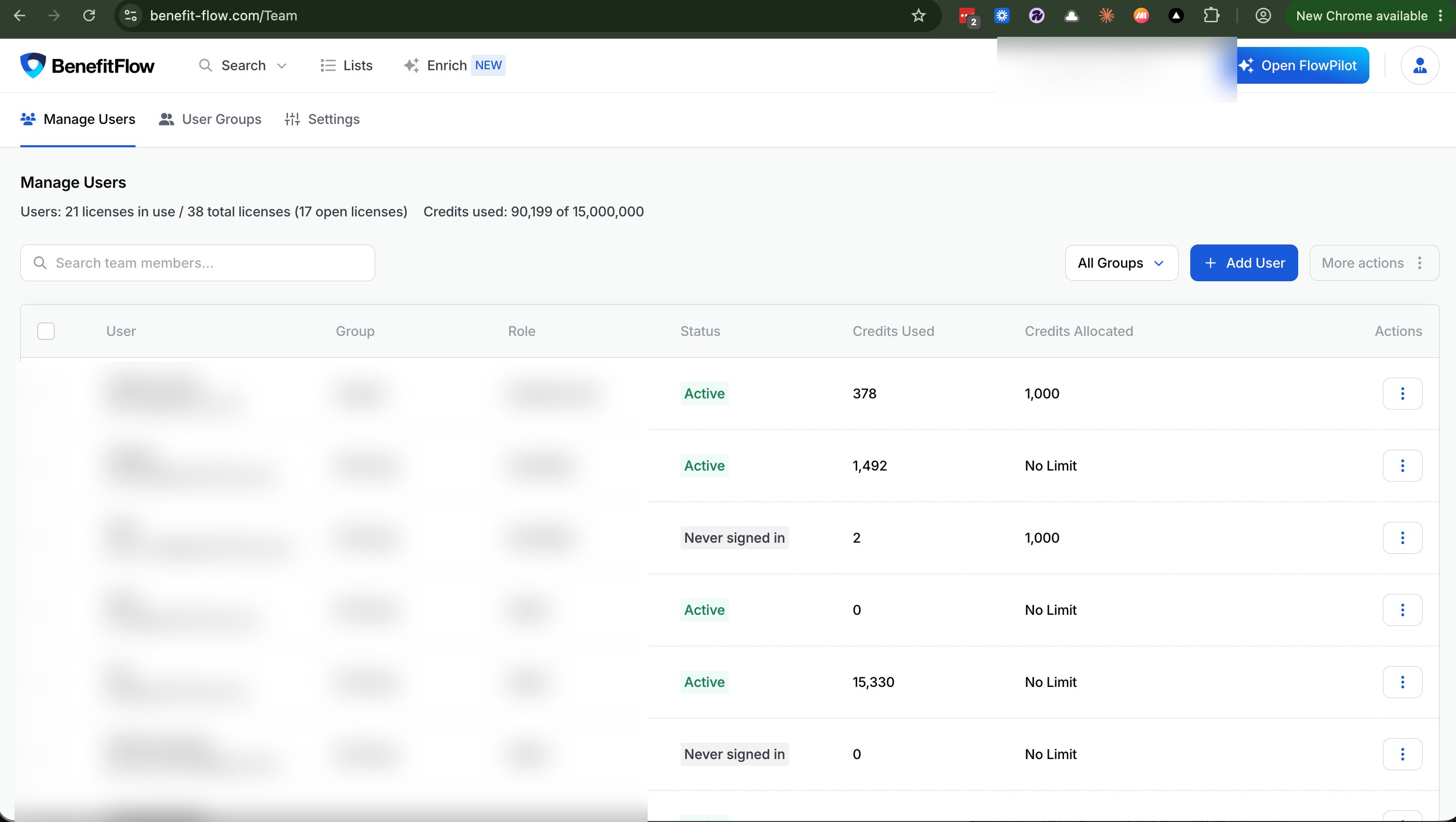
Navigate to Team Management > Manage Users.
2
View lifetime contact credit usage per user.
Reminder:Each time a user clicks “Get Contact,” it uses 1 credit.
👤 View Sign-In Status
The Status column on Manage Users shows whether each user is Active or has Never signed in, so you can quickly spot teammates who still need to get started.