

FAQs and general info
Which CRMs can BenefitFlow integrate with?
Which CRMs can BenefitFlow integrate with?
BenefitFlow currently supports native integrations with Salesforce, HubSpot, and Microsoft Dynamics.
What data can BenefitFlow sync to your CRM?
What data can BenefitFlow sync to your CRM?
BenefitFlow’s Salesforce integration allows users to push Employers, Employer Contacts, Brokers, Broker Office Locations, and Broker Contacts… and automatically manage the associations between them.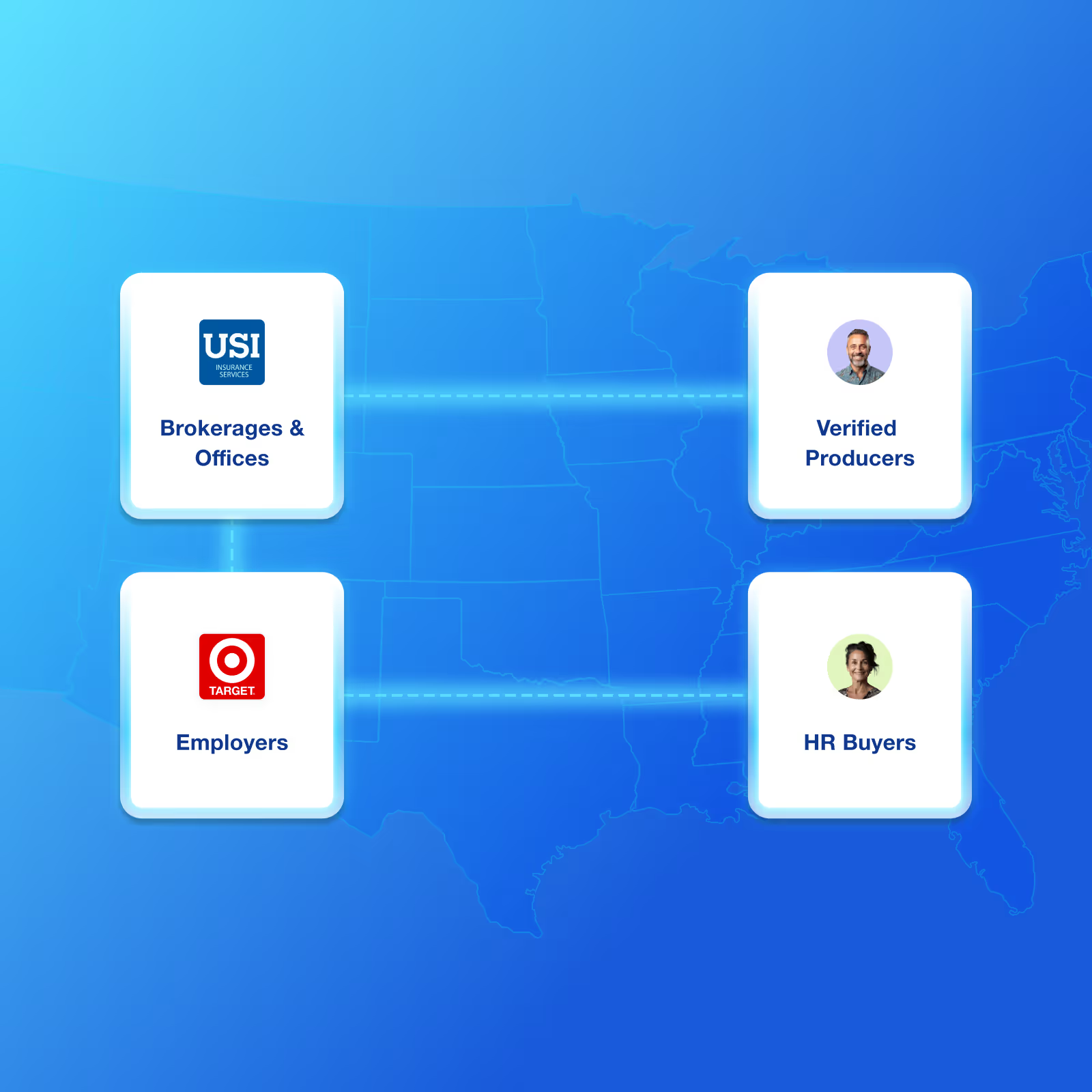
How does BenefitFlow prevent duplicate records?
How does BenefitFlow prevent duplicate records?
Before syncing over any data to your CRM, BenefitFlow will compare our records against the records in your CRM.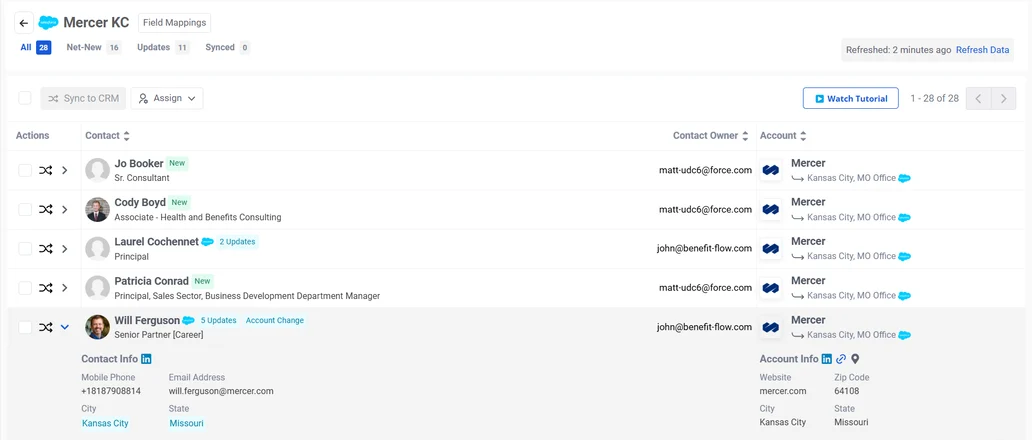
Matching Fields
Matching Fields
BenefitFlow maintains current and historical email addresses, meaning we can establish a match with your pre-existing contacts that may have stale email address.
How are BenefitFlow fields mapped to your CRM fields?
How are BenefitFlow fields mapped to your CRM fields?
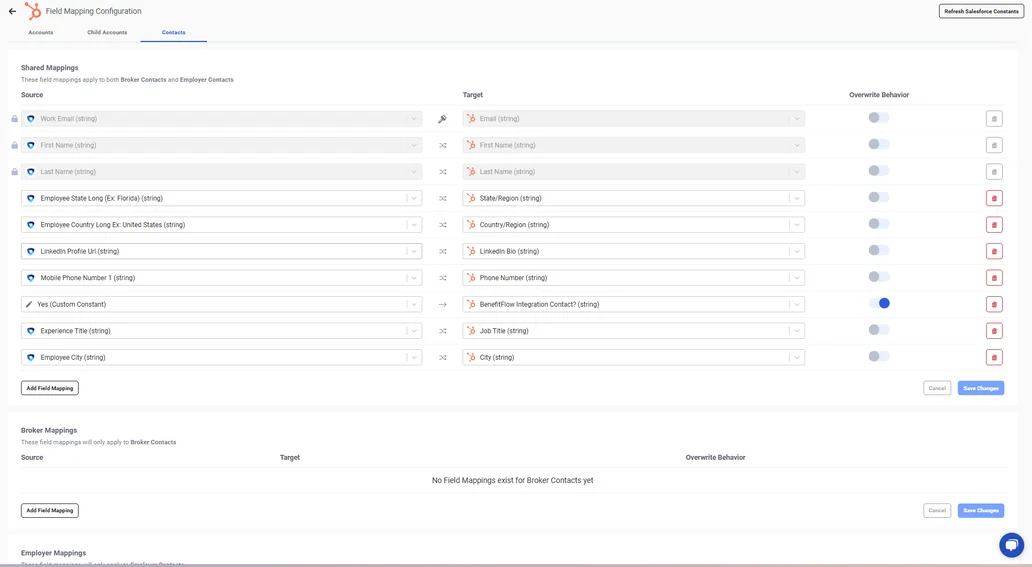
Admin users can configure the mapping table in BenefitFlow to your desired specifications.For the full, searchable list of every BenefitFlow field you can map, by object type, see the Field Mapping Reference.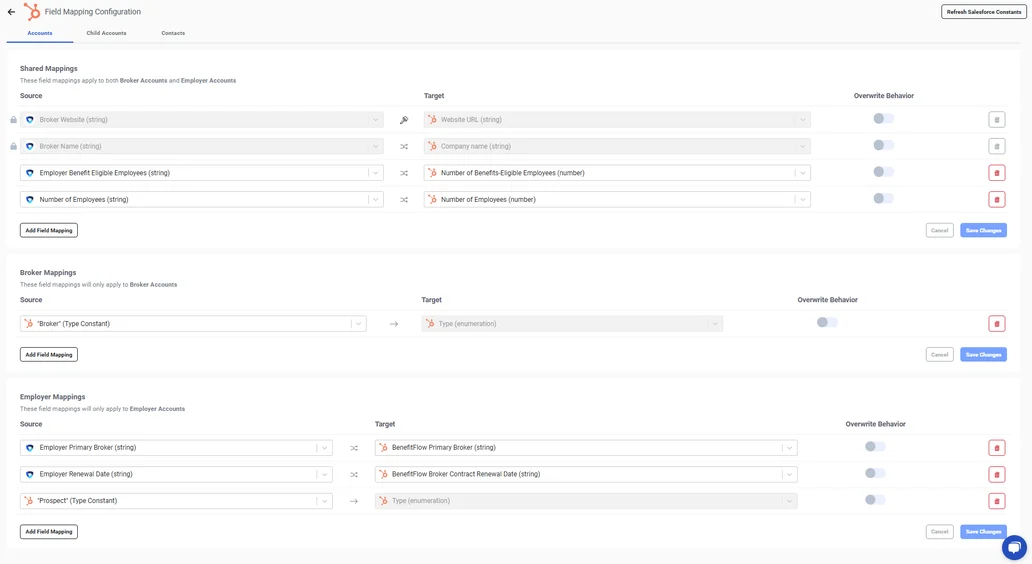
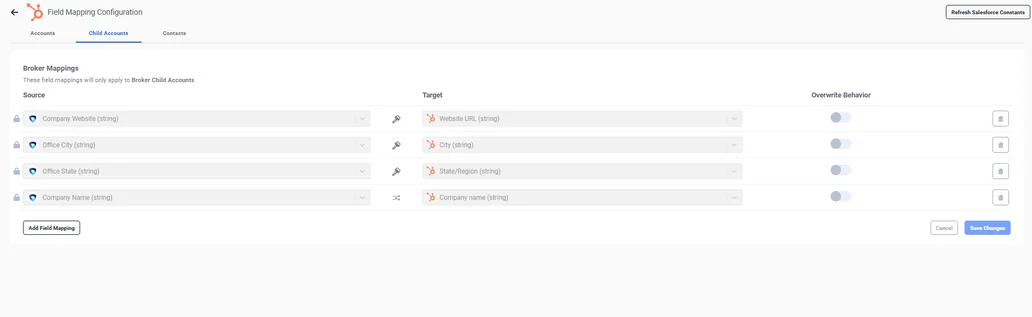
Mapping Table for Accounts
(for syncing Broker and Employer records)Mapping Table for Child Accounts
(for syncing Broker Office records)Mapping Table for Contacts
(for syncing Employer and Broker Contact records)Other FAQs
Who can setup the CRM integration?
Who can setup the CRM integration?
BenefitFlow Admin permissions are required to authenticate with your CRM and configure field mappings. Your BenefitFlow Customer Success Manager can provide the relevant user(s) with those permissions.That user also requires Salesforce, Dynamics, or HubSpot Admin permissions to provide Read/Write access to BenefitFlow.
Who is able to sync data from BenefitFlow?
Who is able to sync data from BenefitFlow?
Both standard users and admin users can sync data once the integration is set up. Admin users always have full sync access and can also manage field mappings and connection settings.By default, standard users can only create net-new records in the CRM. However, admins can configure what sync operations standard users are allowed to perform — per object type (Contacts and Accounts) — under Integration Settings > Preferences > Sync Permissions for Standard Users.The available options are: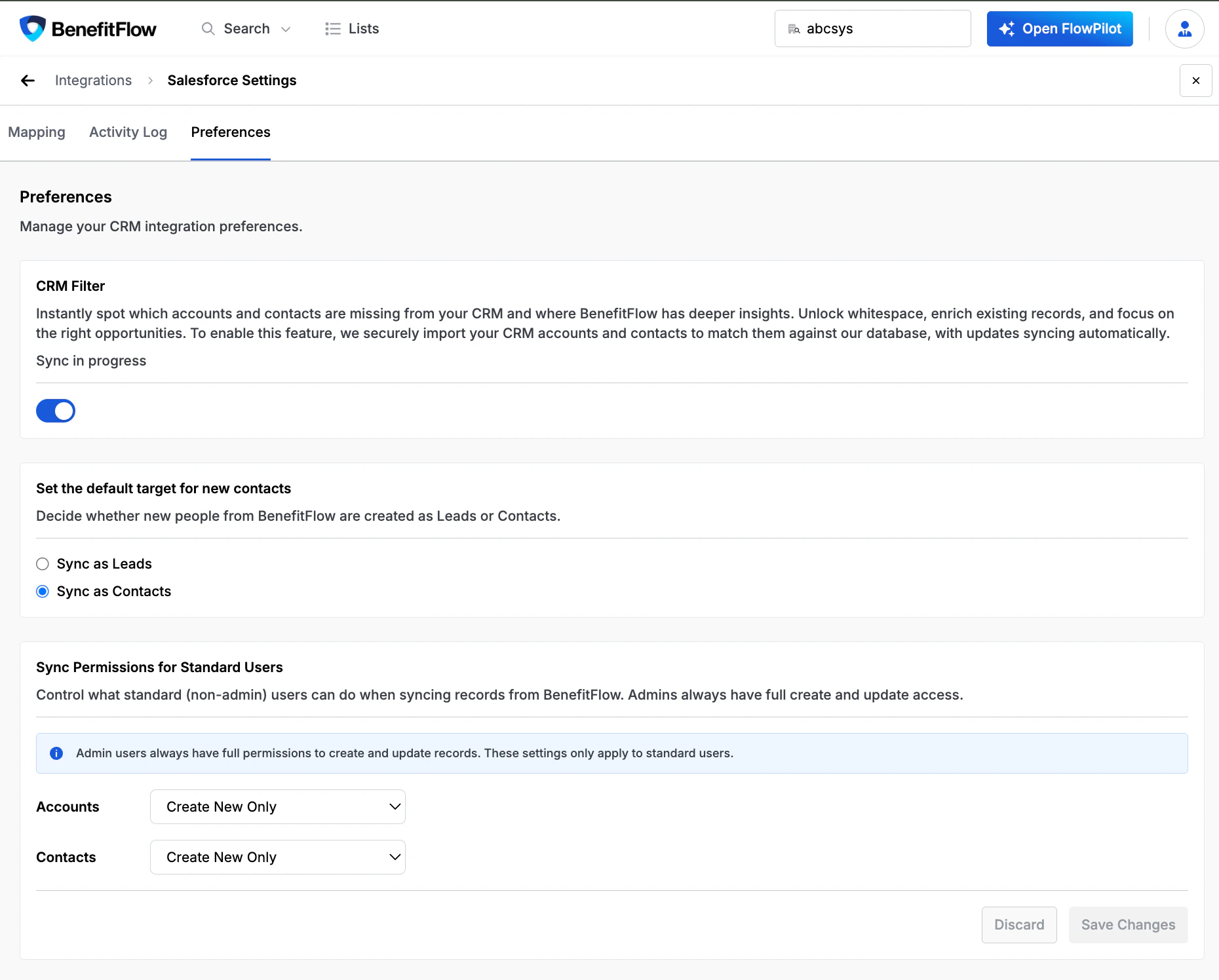
- Create new and update existing
- Create new only (default)
- Update existing only
What level of CRM access does BenefitFlow have?
What level of CRM access does BenefitFlow have?
BenefitFlow authenticates using OAuth 2.0 and the integration requires that BenefitFlow has read / write access to the relevant tables and fields in your CRM.
How does BenefitFlow set Contact Owners and Account Owners when syncing?
How does BenefitFlow set Contact Owners and Account Owners when syncing?
When BenefitFlow creates a new contact in your CRM, it assigns the Contact Owner from the owner of the associated Account in your CRM. If that account has no owner yet, BenefitFlow leaves the field blank and your CRM’s own default assignment rules apply.Syncing updates to an existing contact never changes its owner. Ownership is not based on who clicked “Get Contact” or who initiated the sync. To set owners explicitly, use Assign Owner on the list before syncing (admins can also reassign already-synced contacts).BenefitFlow does not set an Account Owner when syncing to the Account object.