Est. Setup Time: 5 minutes

To setup the integration, you must be a BenefitFlow Admin and a HubSpot Admin with read/write privileges for all fields
1
Login to BenefitFlow and navigate to the “Integrations” page
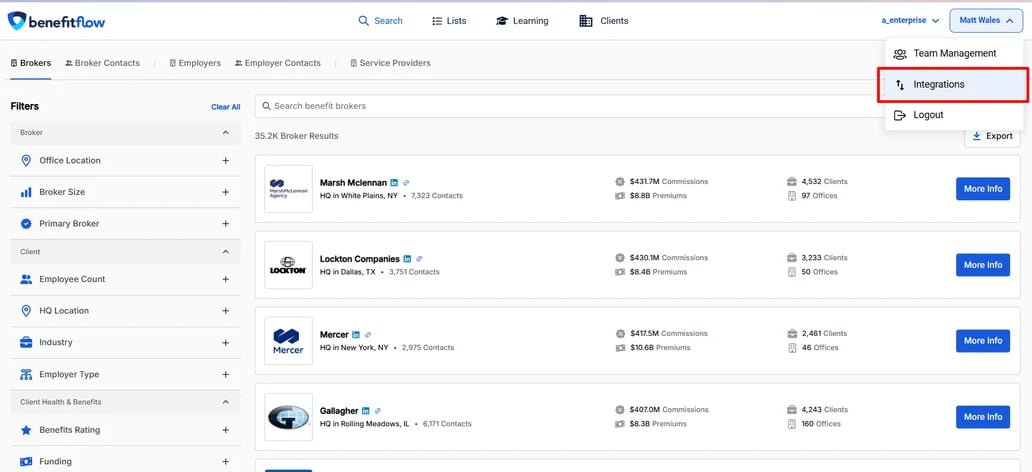
Navigate to the “Integrations” page in BenefitFlow
2
Click the “Establish Connection” button to connect to HubSpot
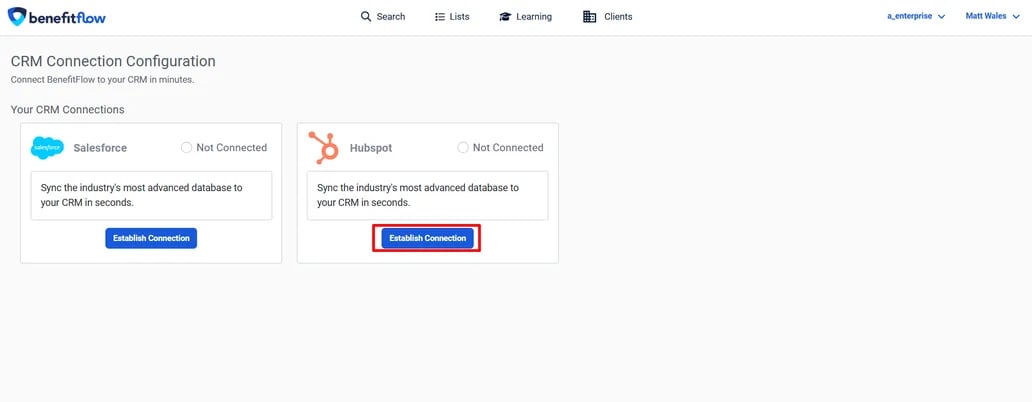
3
Click the “Connect” button to connect to HubSpot
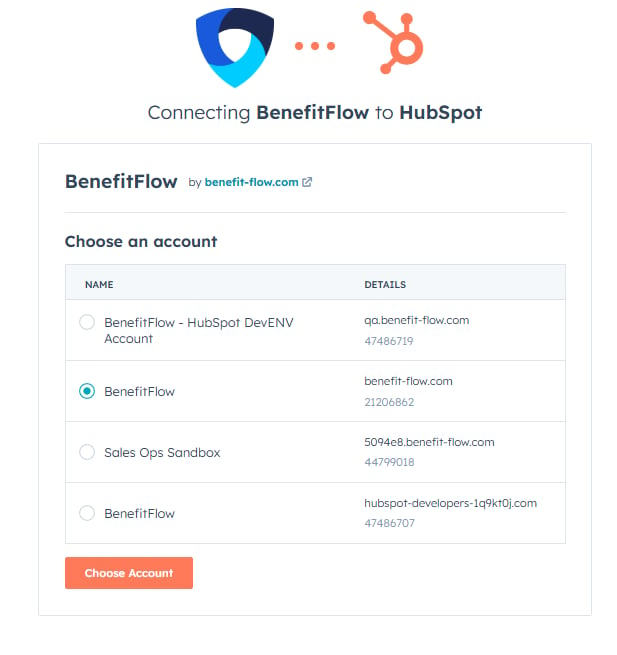
You can connect to either a sandbox or your main production account.
4
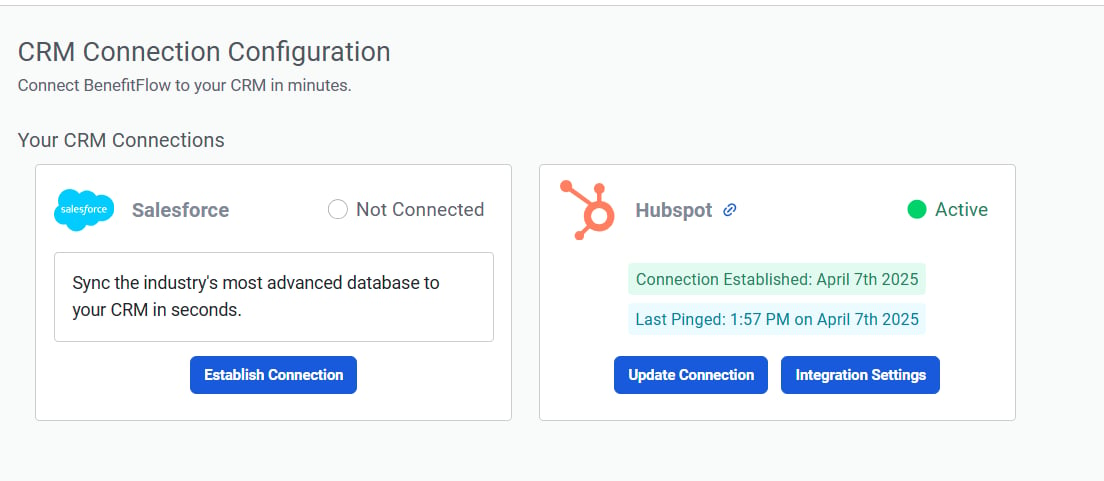
Success!
Success!
5
To configure your mapping settings, click “Integration Settings”
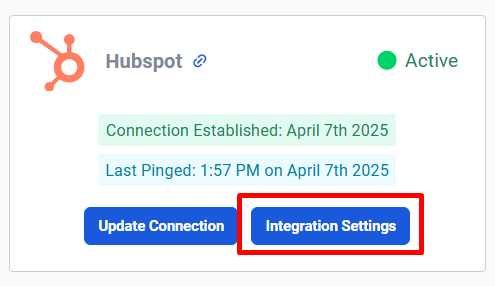
To configure your mapping settings, click Integration Settings
6
Specify how fields across BenefitFlow’s employer and broker objects are mapped to your HubSpot fields 
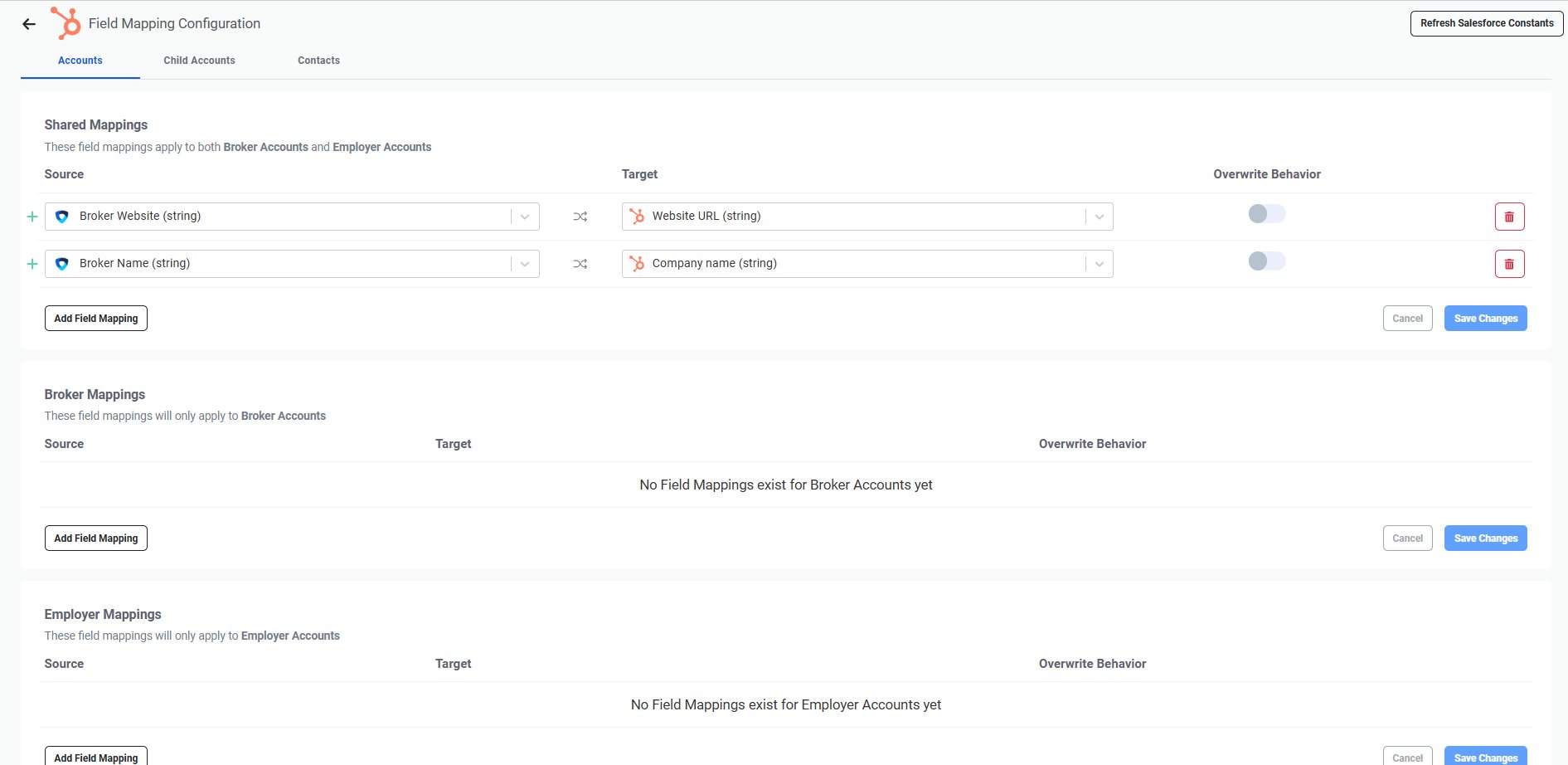
Mapping fields between BenefitFlow and HubSpot
7
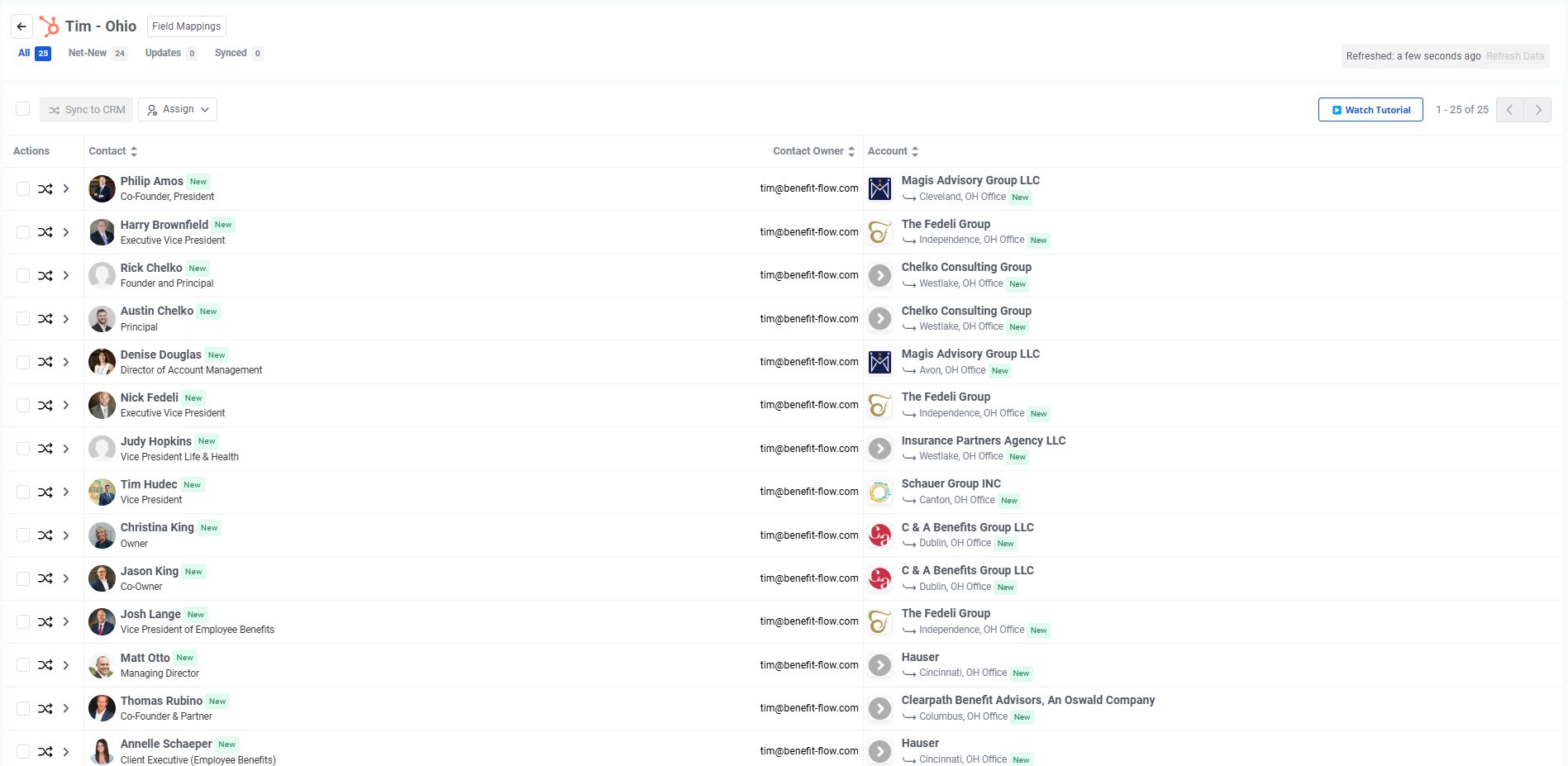
Once you’re ready to begin syncing data, navigate to your lists, click the sync button on the desired list and begin syncing!
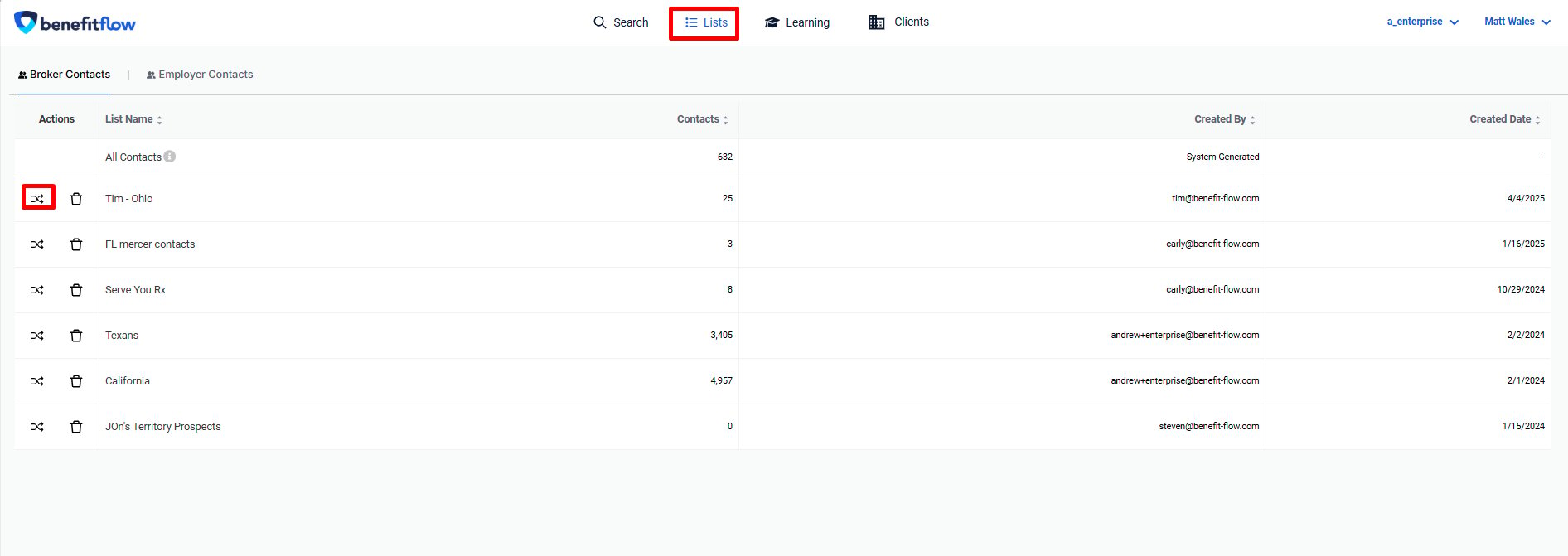
Lists page showing a selected list with the Sync button highlighted
Confirmation message after clicking the Sync button
Last modified on February 12, 2026