

What is SFTP?
SFTP (SSH File Transfer Protocol) is a way to access, transfer, and manage files securely over the internet. It runs on top of SSH, which means all communication is encrypted and requires authentication before any data moves.How It Works
Our SFTP server uses public key authentication for secure, passwordless access:Steps to Connect
1
Generate a public key and send us the .pub file
Generate an SSH key pair and email the
.pub file to your customer success manager. Don’t worry — public keys are public and can be sent unencrypted.2
We create a username tied to your key
BenefitFlow will create a username for your organization and associate it with the public key you provided.
3
Connect using your SFTP client
Use any SFTP client (e.g., Cyberduck, FileZilla, WinSCP) to connect with the details below.
Connection Details
Example Connection Setup
Below is an example of how to configure your SFTP client (shown using Cyberduck):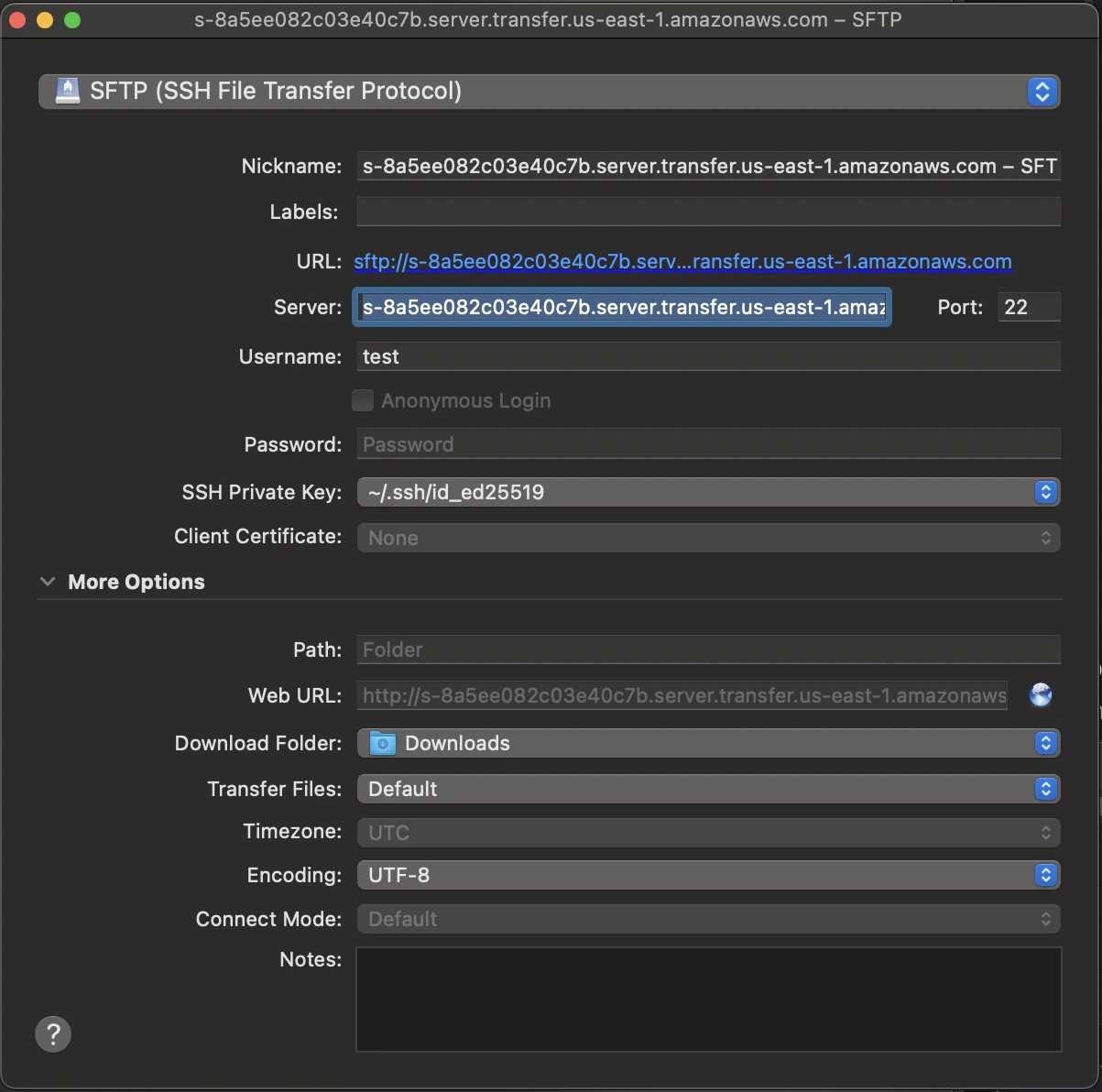
Working with Data
Once connected, you’ll see six folders — one for each dataset:
Each folder keeps the latest file for each export at the top level. When a new file is delivered, that export’s older files move into an
archive/ subfolder inside the same folder, where they stay for 13 weeks. Files are named TYPE-YYYYMMDD.csv (e.g., EMPLOYER-20260405.csv).
The broker/, brokerOffices/, and employer/ folders keep two latest files at the top level: the data file and its ID mapping file. For example:
The
broker/, brokerOffices/, and employer/ folders also contain ID mapping files (e.g., BROKER_ID_MAPPING-YYYYMMDD.csv). These let you carry forward IDs that change between releases. See ID Mapping Files for how to use them.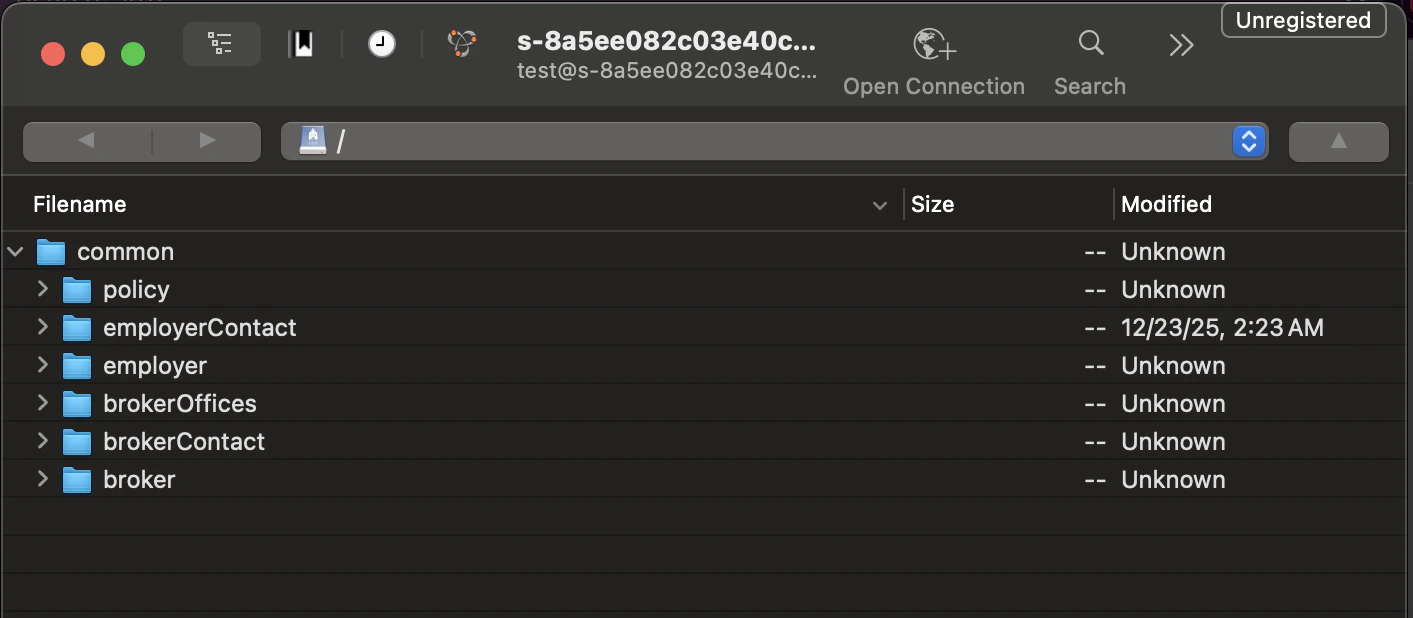
Data is refreshed every Saturday.
Bulk Data Schema Reference
Complete field-level reference for all six datasets — column definitions, data types, join keys, and implementation notes.